SEVA
Seva Bank for
Mobile Application
Case Study
Design in
(NBU)
It’s an banking app designed for Next Billion Users (NBU) for users in rural areas who are going to use the Internet for the very first time.




Figma
शेष देखें
XXXX
XXXX
XXXX
9123
बचत खाता
9:41
त्वरित पहुंच
पैसे ट्रांसफर
स्कैन-टू-पे
खाता विवरण
सेवाएं
शीघ्र ऋण
बिल भुगतान एवं रिचार्ज
सावधि जमा
खाता
निवेश
बीमा
लेन-देन
Transfer to Devi
3:00 PM
14 March
-135.3
Received from Amar
+3,982.5
Received from Ram
+204.56
होम
लेन-देन
ट्रांसफर
सेटिंग

A
स्वागत है
, मोतीलाल
2

नमस्ते मोतीलाल
A/C No.: 9866543223579123
1 खाता
व्यक्तिगत
व्यक्तिगत जानकारी
बैंक और कार्ड
उपयोगिताएँ
शीघ्र ऋण
खाता विवरण
पता
संपर्क करें
सेटिंग
संदर्भ देना
Overview
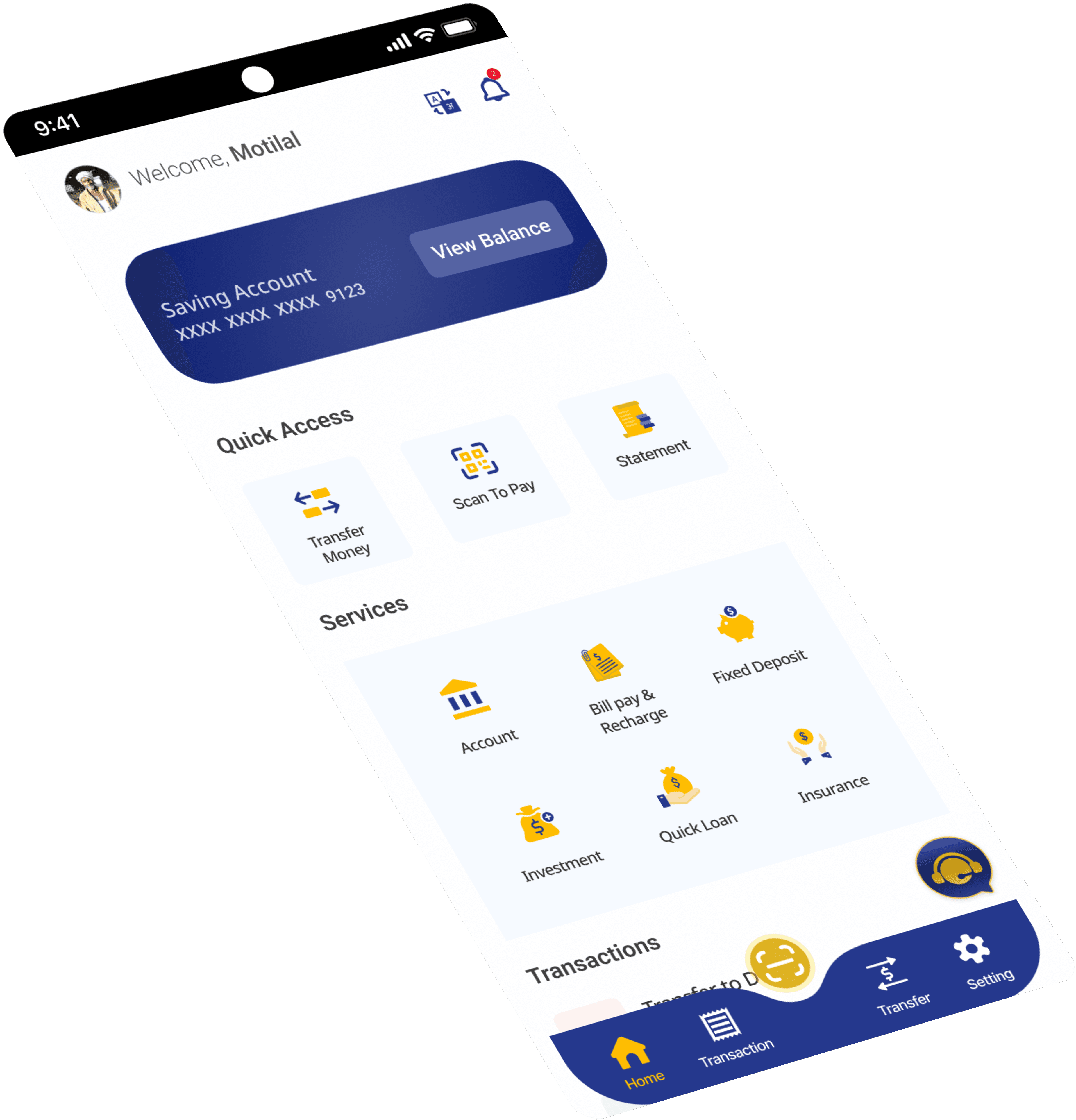
Seva is a banking app designed specifically for users in rural areas who are new to internet banking, the app aims to provide a simple, intuitive, and accessible banking experience to users who may have limited internet access and varying levels of digital literacy.
Problem Statement
In today's digital age, access to banking services is essential for financial inclusion. However, many rural areas often lack access to traditional banking services, making it difficult for residents to manage their finances conveniently. Additionally, many residents are unfamiliar with internet banking and may feel overwhelmed by complex banking apps designed for urban users. by recognizing these challenges I saw an opportunity to bridge the gap by creating a mobile banking app specifically for rural users who are about to become internet users for the very first time.
View Balance
XXXX
XXXX
XXXX
9123
Saving Account
9:41
Quick Access
Transfer Money
Scan To Pay
Statement
Services
Quick Loan
Bill pay & Recharge
Fixed Deposit
Account
Investment
Insurance
Transactions
Transfer to Devi
3:00 PM
14 March
-135.3
Received from Amar
+3,982.5
Received from Ram
+204.56
A
Welcome,
Motilal
2
Home
Transaction
Transfer
Setting
Possible Solutions
Based on research the solution for the mobile banking app for rural users focuses on simplicity, accessibility, and security to ensure a seamless banking experience for individuals who are new to the internet.
Implement a straightforward registration process with minimal steps, guided by clear instructions in the user's preferred language.
Design a clean and intuitive user interface with large, easy-to-read text, and intuitive icons to facilitate navigation.
Organize features logically and prominently display essential functions such as account balance, transaction history, and fund transfer options on the home screen.
Utilize state-of-the-art encryption and authentication protocols to ensure the security of transactions and protect user data from unauthorized access.
Provide users with easy access to their transaction history, allowing them to view, incoming and outgoing transactions.
Offer comprehensive customer support services through AI assistance chat bot and phone support.
Allow users to customize their app experience by selecting their preferred language.
Users can perform essential banking tasks such as transferring funds, paying bills, applying for loans, and setting savings goals directly from the app.
Objectives
The primary objective of the app is to provide rural users with a user-friendly platform to manage their finances, make transactions, and access banking services with ease. The app aims to empower users with limited internet access and digital literacy to take control of their finances from the comfort of their homes.
Design Process
Research
Define
Ideate
Design
User Research
The user research conducted for the seva mobile banking app aimed to gain deep insights into the banking behaviours, technological proficiency, and specific needs of users in rural communities. Through a combination of surveys, interviews, and observational research, I have gathered comprehensive data on user’s demographics, banking habits, technology usage, and preferences. The research revealed valuable insights into the challenges faced by rural users, such as limited internet connectivity, low digital literacy, and trust issues with online banking.
Survey Insight
Do you own a smartphone?
75%
25%
Yes, I have a smartphone.
No, I don’t have any.
For what reason basically do you use your smartphone?
For Phone calls
Using social media apps(Facebook, Instagram, Youtube etc)
Taking photos and videos
Others
Browsing Internet
8%
15%
64%
8%
5%
How do you primarily conduct your banking transactions?
In-person at a bank branch
ATM
Online banking website
Mobile banking app
21%
75%
3%
What types of transactions do you typically perform?
Checking balance
Transferring money between accounts
Paying bills
Others
Applying for loans and Credits
4%
22%
60%
12%
Easy fund transfers between accounts
22 (80%)
26 (85.3%)
6 (23.5%)
14 (47.5%)
24 (90.5%)
18 (56.5%)
11 (27.5%)
23 (76.7%)
0
10
20
30
Easy to view Account balance
Currency conversion calculator for international transactions
Bill payment capabilities for utilities, telecommunications...
Customer support chat or messaging feature
Quick access to account statements and transaction history
Loan or credit application and management
Secure login options such as biometric or Pin authentication
What features or functionalities would you like to see in a mobile banking app?
Research
01
User Persona
Background
Arun Mishra runs a small grocery store in Bishnoi Rajasthan. He is married with two children and is the primary breadwinner for his family. Despite being a hardworking entrepreneur, Arun faces numerous challenges in managing his finances effectively. He has limited access to traditional banking services, often relying on cash transactions and informal savings methods. Arun is eager to explore digital banking options to streamline his financial tasks and improve his business operations.
Goals
Arun aims to efficiently track income and expenses for better profitability and future growth planning.
He seeks a convenient way to access banking services without visiting a physical branch.
Arun seeks a simple banking solution for his basic smartphone that works with intermittent internet.
Challenges
Arun can use smartphones and the internet but may find complex interfaces or technical terms challenging.
Running a small business leaves Arun with little time for learning new technologies or handling finances.
He is wary of online financial transactions due to data security and fraud risks.
Arun Mishra

Age
45
Status
Married
Location
Bishnoi, Rajasthan
Occupation
Small Business Owner
Personality
Introvert
Thinker
Hardworking
Thoughtful
Needs
Simple Interface : Raj requires a mobile banking app with an intuitive interface that is easy to navigate and understand, even for users with limited technological literacy.
Account management : He needs features for checking his account balance, viewing transaction history, and transferring funds between accounts seamlessly.
Business Tools : Raj seeks tools and resources within the app to help him manage his business finances effectively, such as expense tracking and invoicing capabilities.
Customer Support : He values swift customer support in his local language for any app-related issues.

Says
Feels
Thinks
Does
I want to learn digital banking but fear making mistakes.
I'm not sure how this app works. I've never used the internet before
I'm concerned about online financial scams.
I wish for a simpler way to manage finances without going to the bank.
I wish for convenient banking access without dependence or travel.
I want to learn digital banking but don't know where to start.
I hope this app is user-friendly and doesn't need much tech knowledge.
I must be cautious online to avoid scams or fraud.
Anxious about managing finances digitally.
He hopes digital banking offers a safer, easier way to manage money.
Frustrated by barriers to banking access.
Overwhelmed by the prospect of learning new technology.
Depends on family or friends for tech tasks.
Regularly deposits or withdraws cash at the bank branch.
Fear of errors or scams hinders exploration of new apps/websites.
Getting frustrated with complicated interfaces
Empathy Mapping
03
Ideate
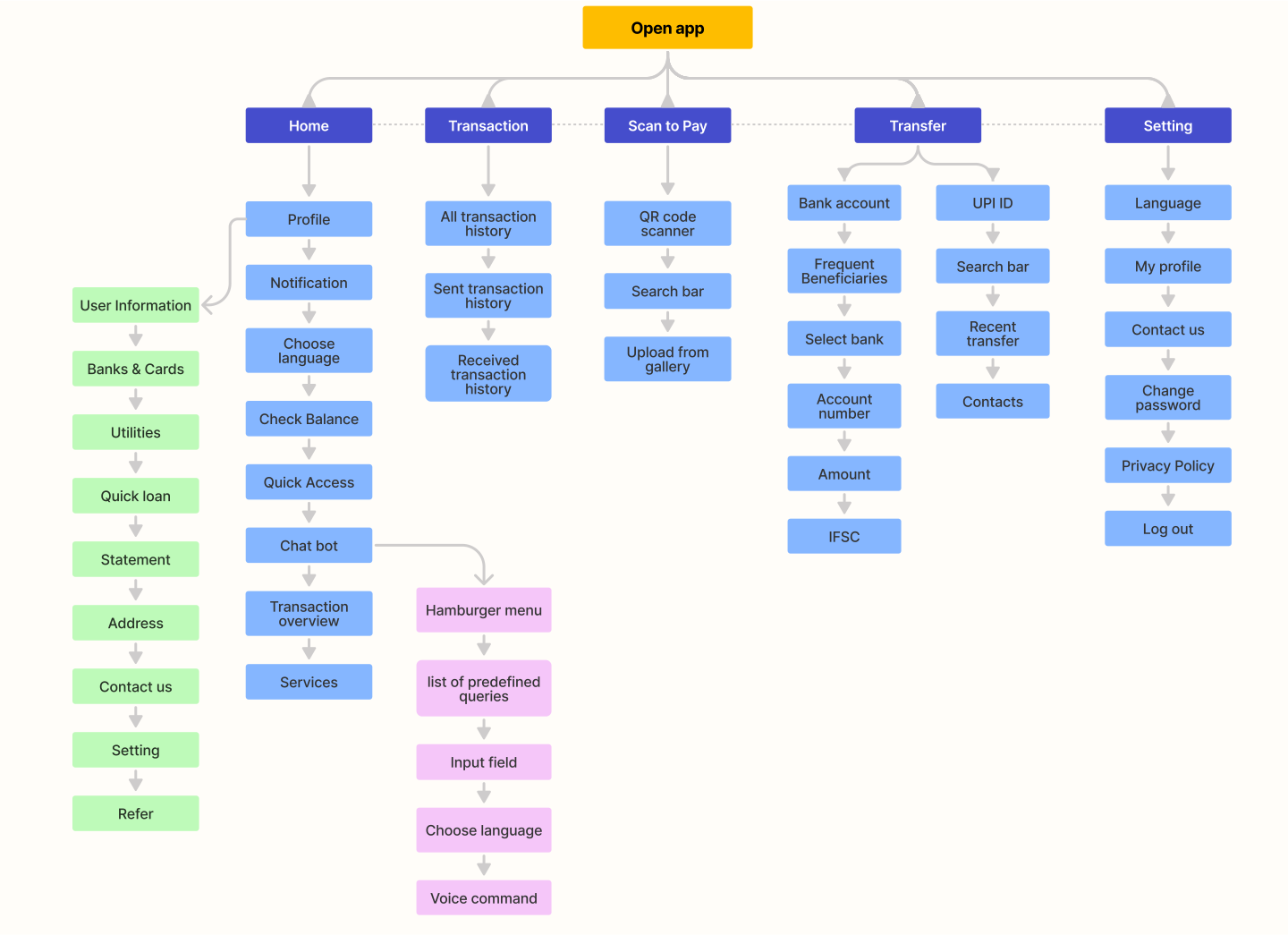
Information Architecture
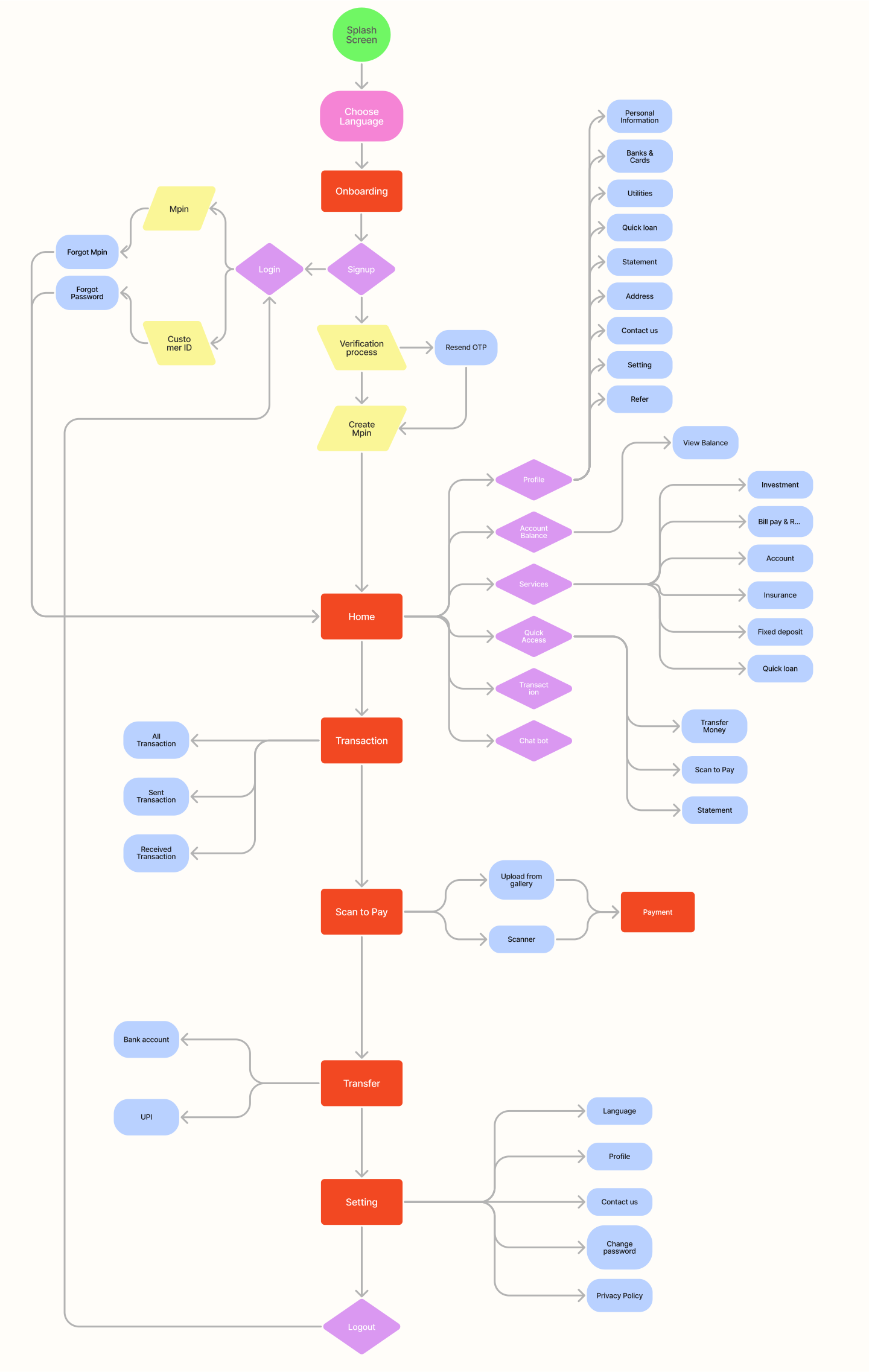
User Flow
04
Design
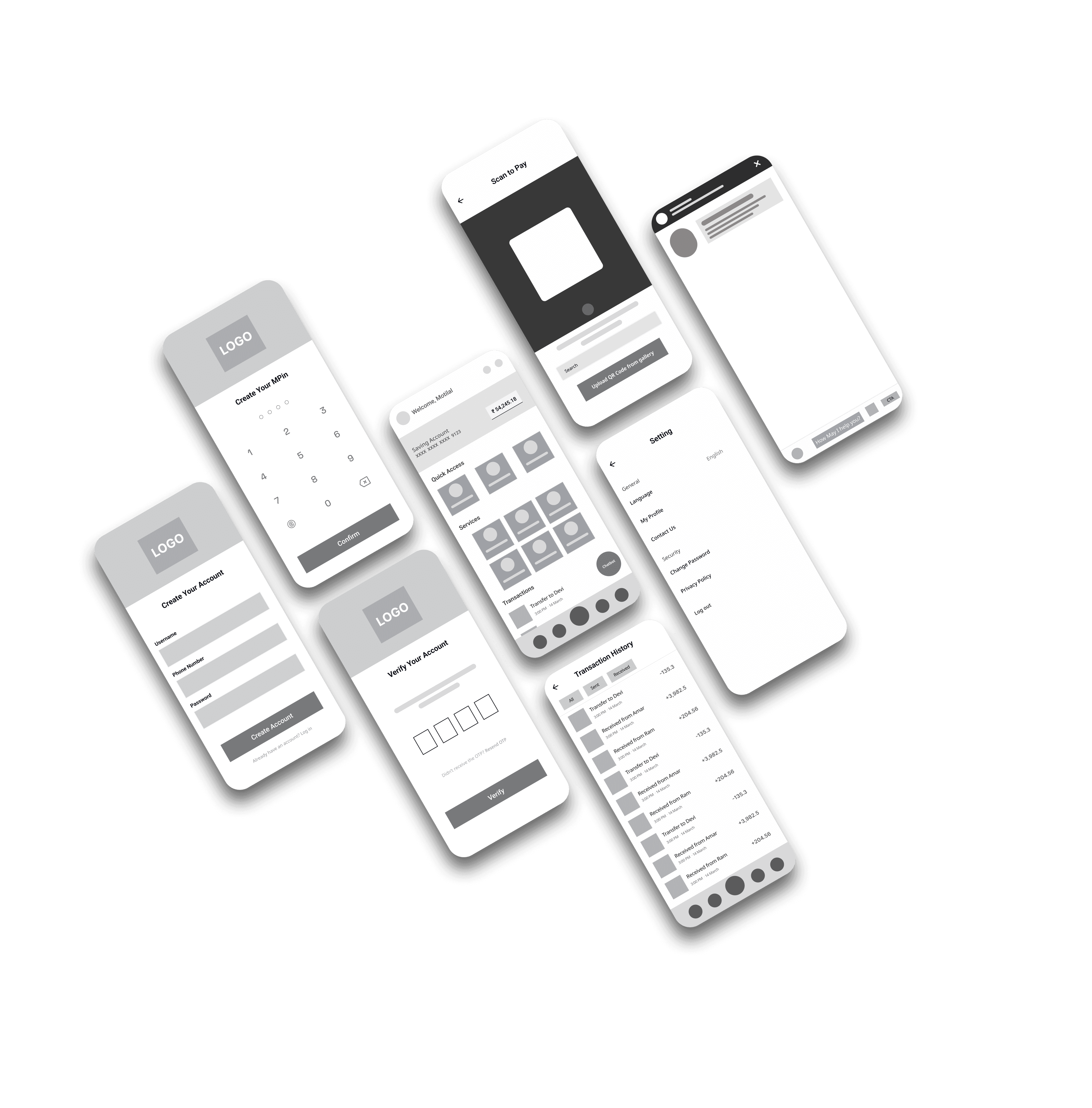
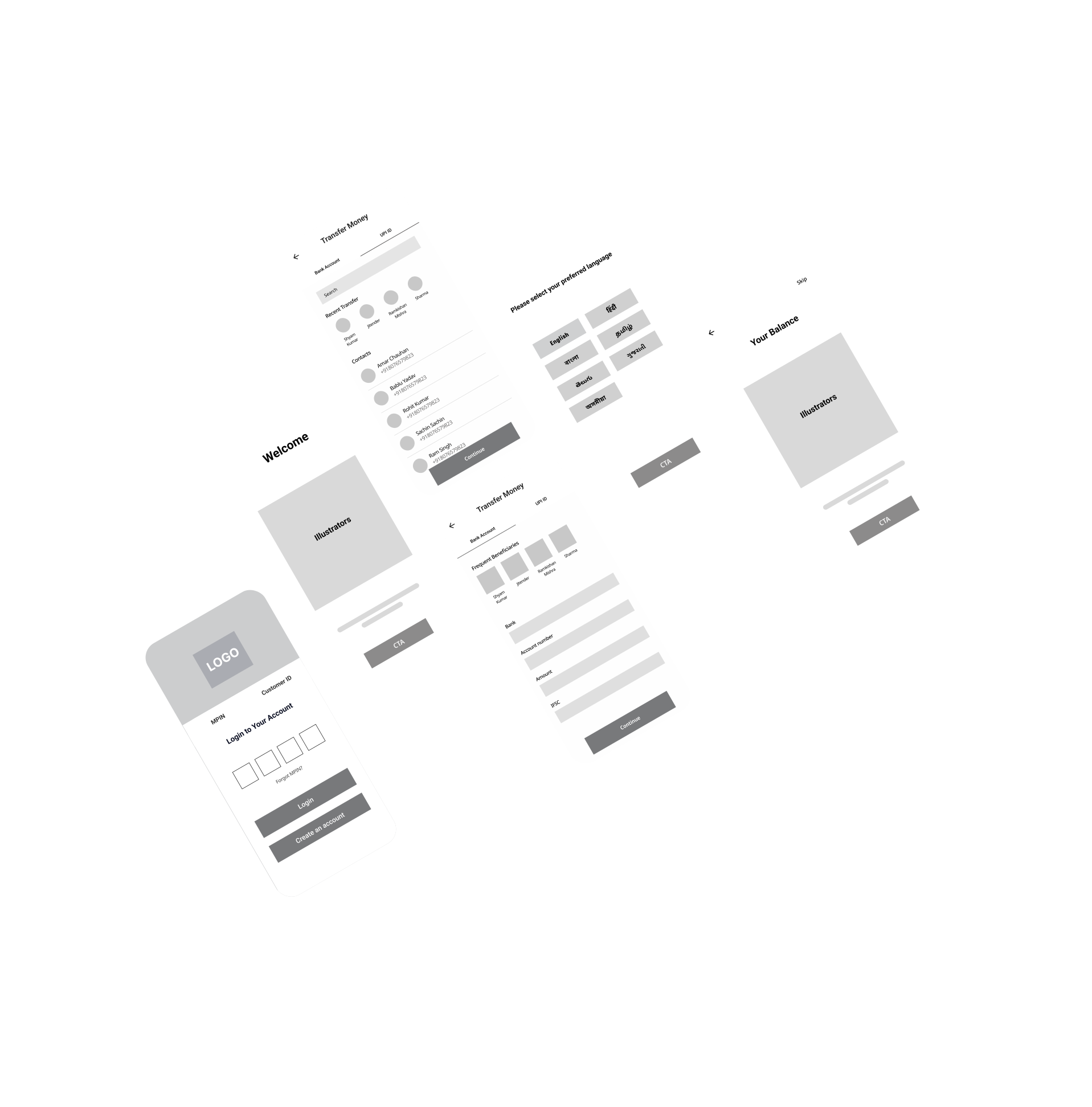
Low Fidelity Screens
High Fidelity Screens
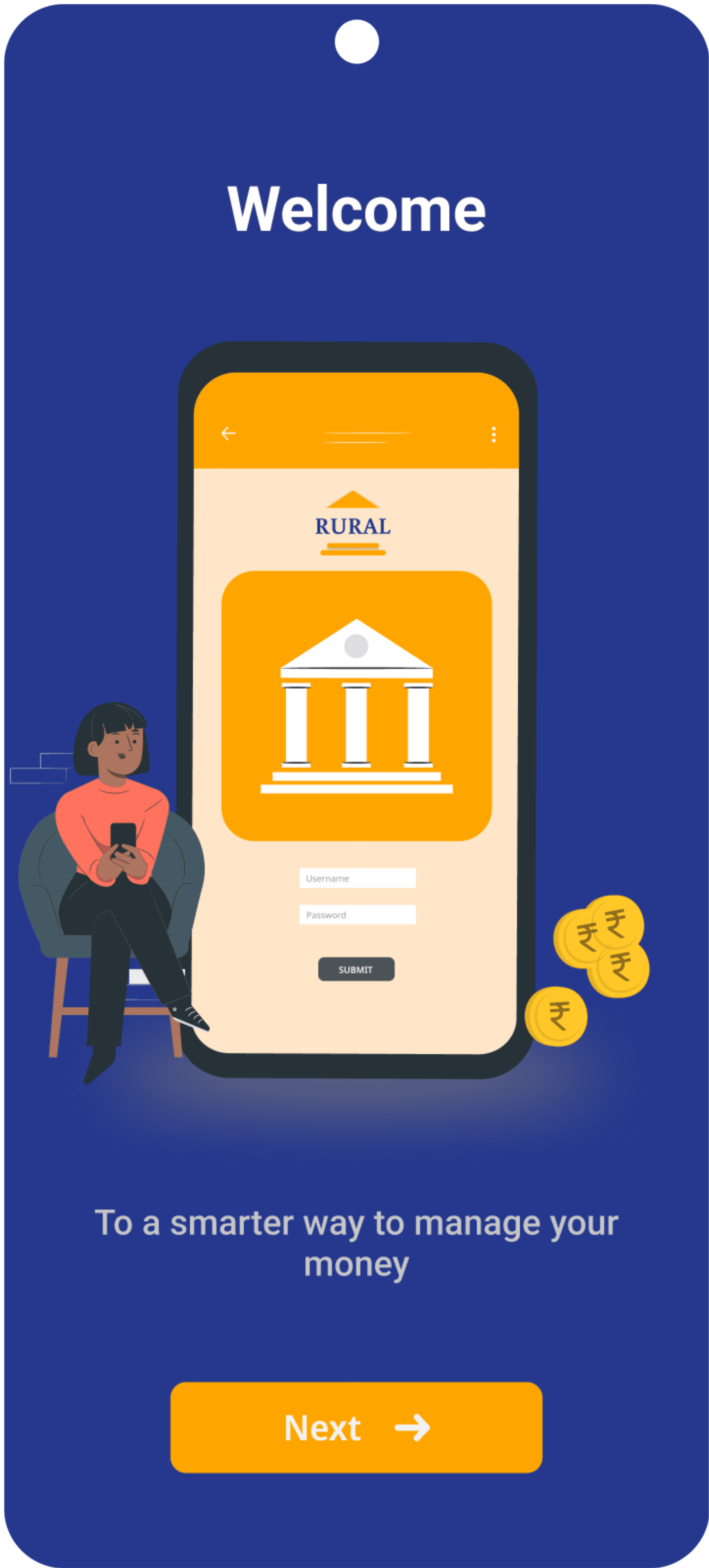
Splash Screen
A splash screen is the introductory screen that appears when you open the app. It is typically a branded image or animation that serves as a visually appealing and engaging way to greet users as they launch the app.

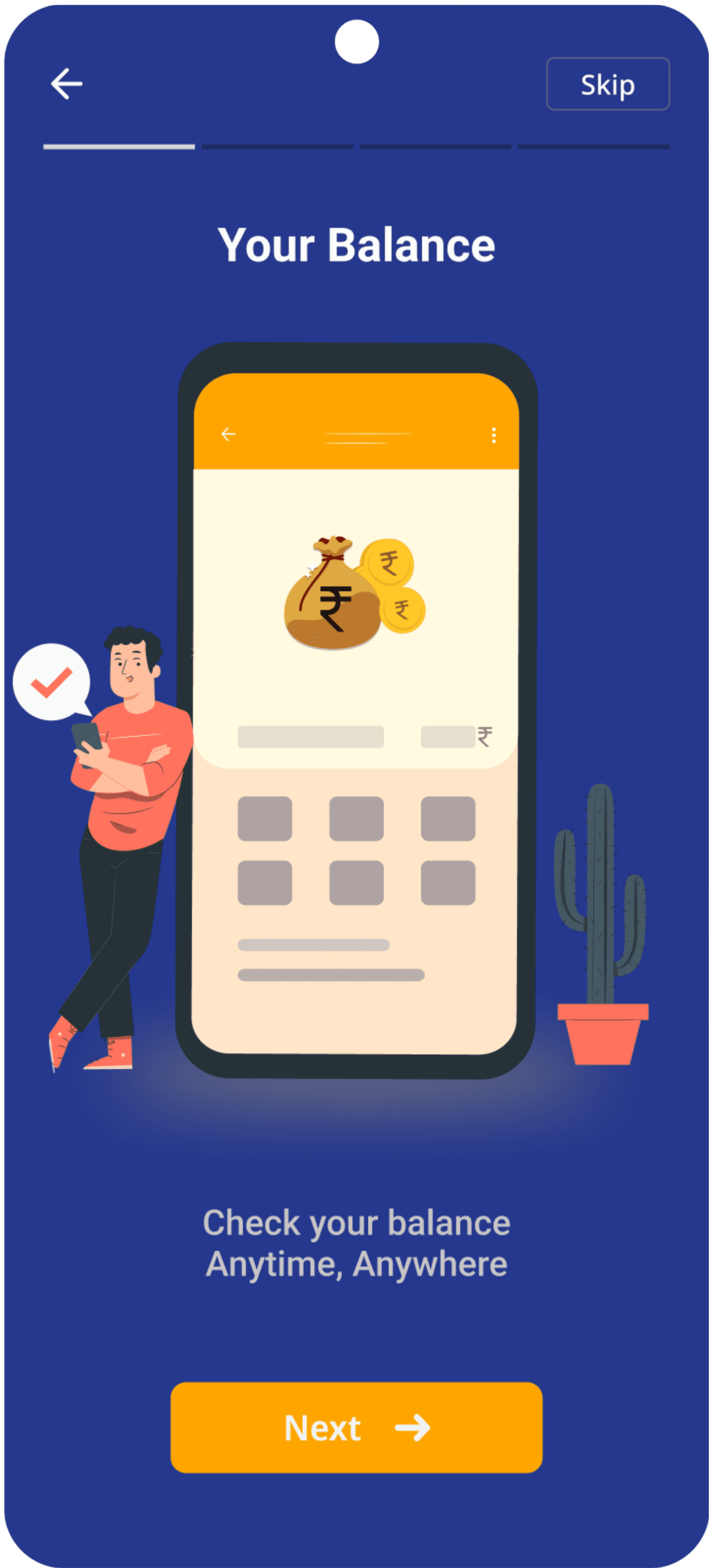
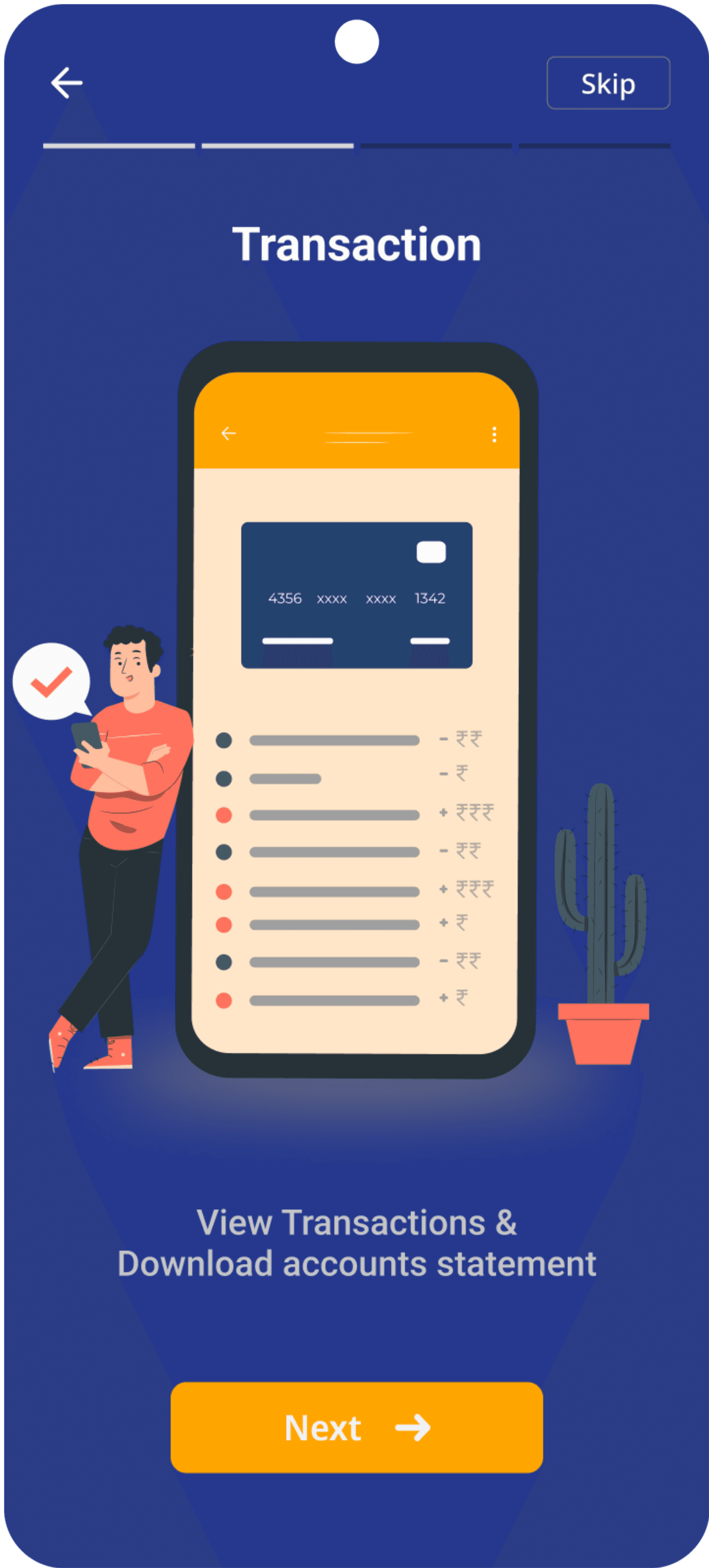
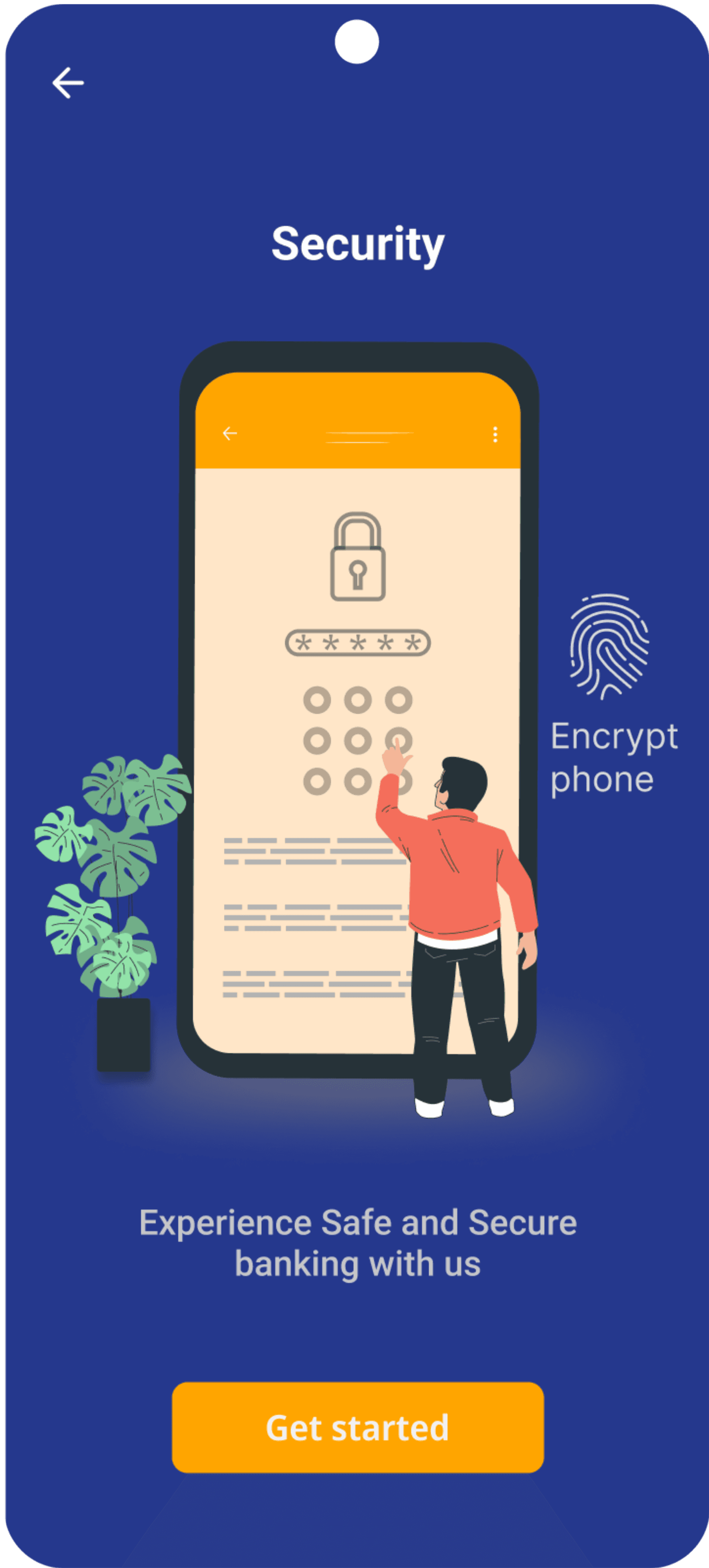
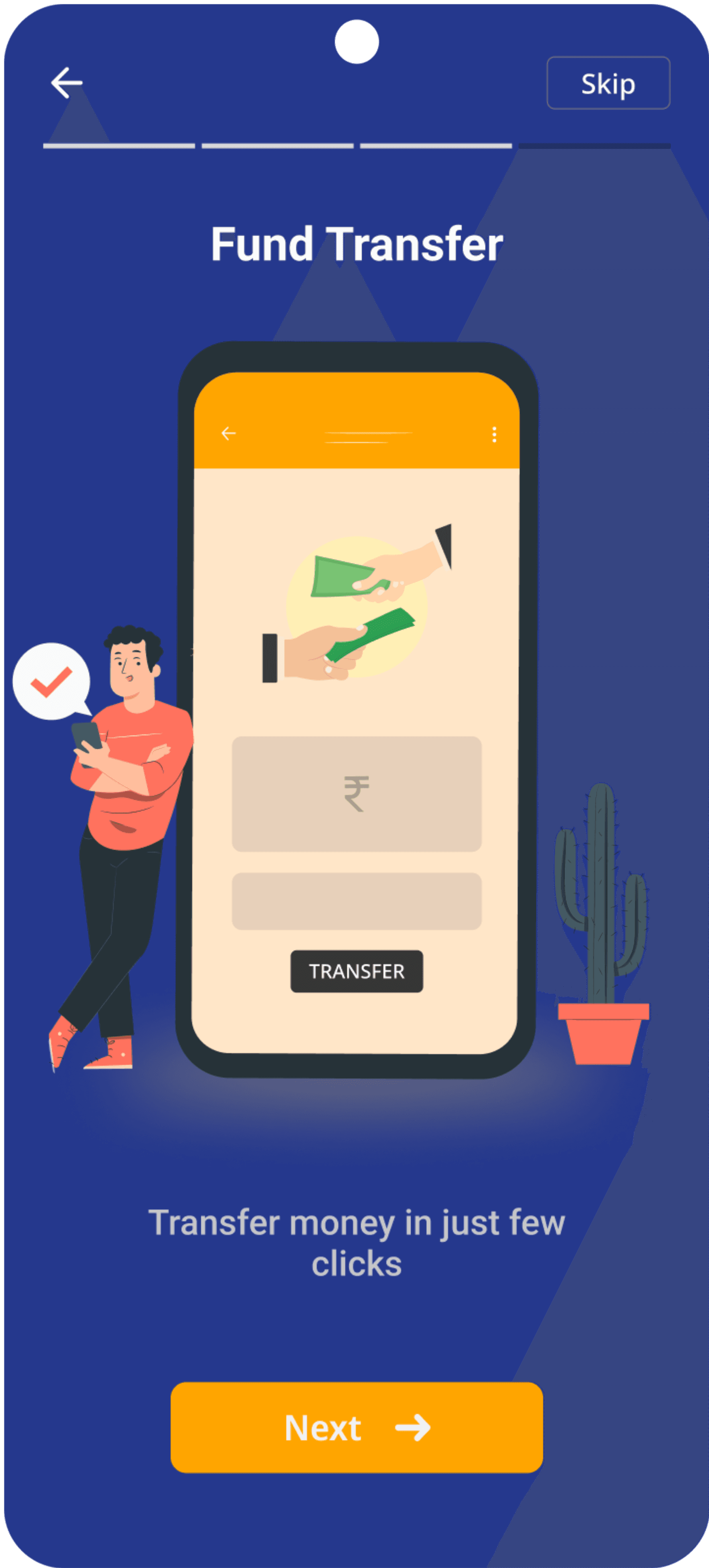
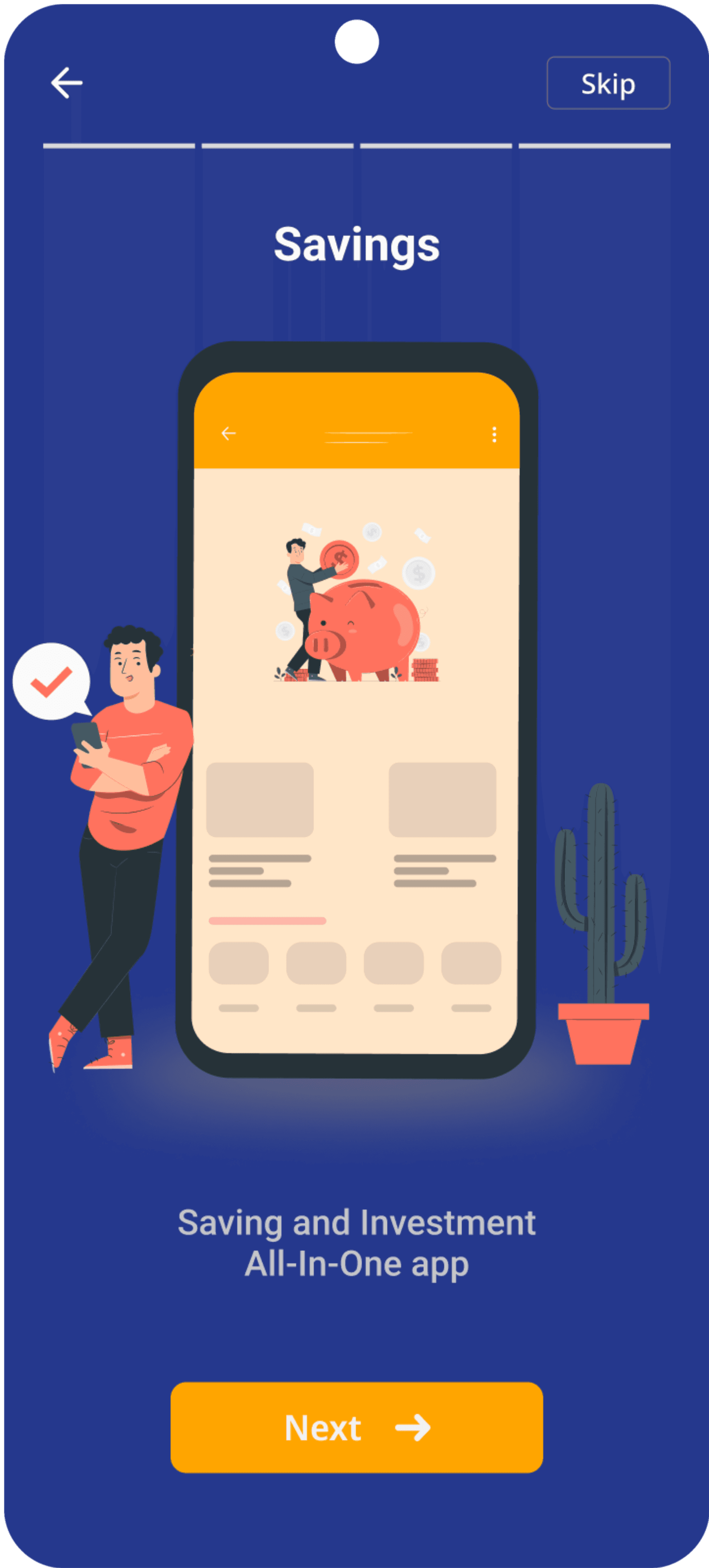
Onboarding Screens
An onboarding screen in an app is a crucial component that helps new users understand how to use the app and its features. The onboarding screen typically appears when a user launches the app for the first time or when they create a new account. The purpose of the onboarding screen is to guide users through the essential features of the app and help them get started with using the app.
Home Screen
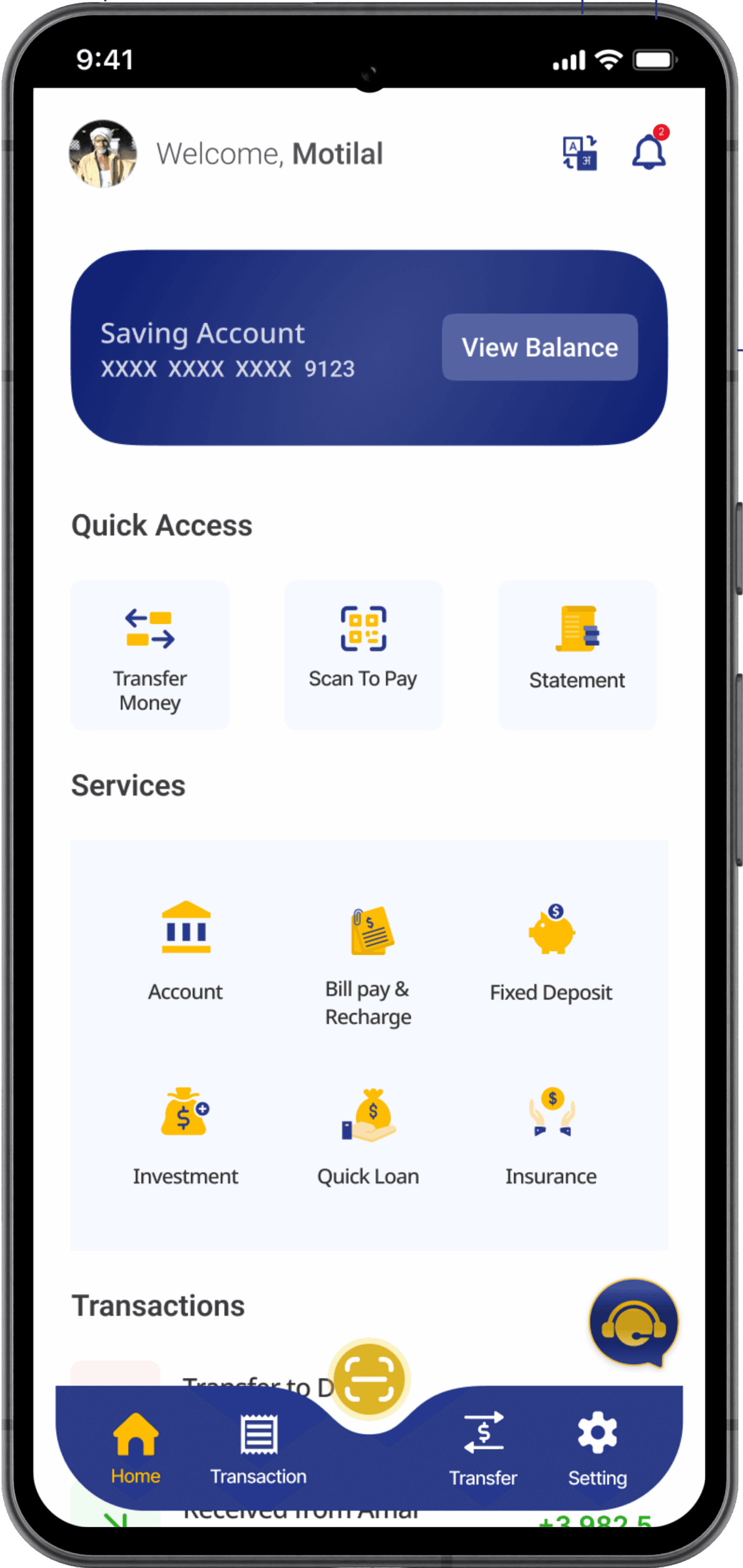
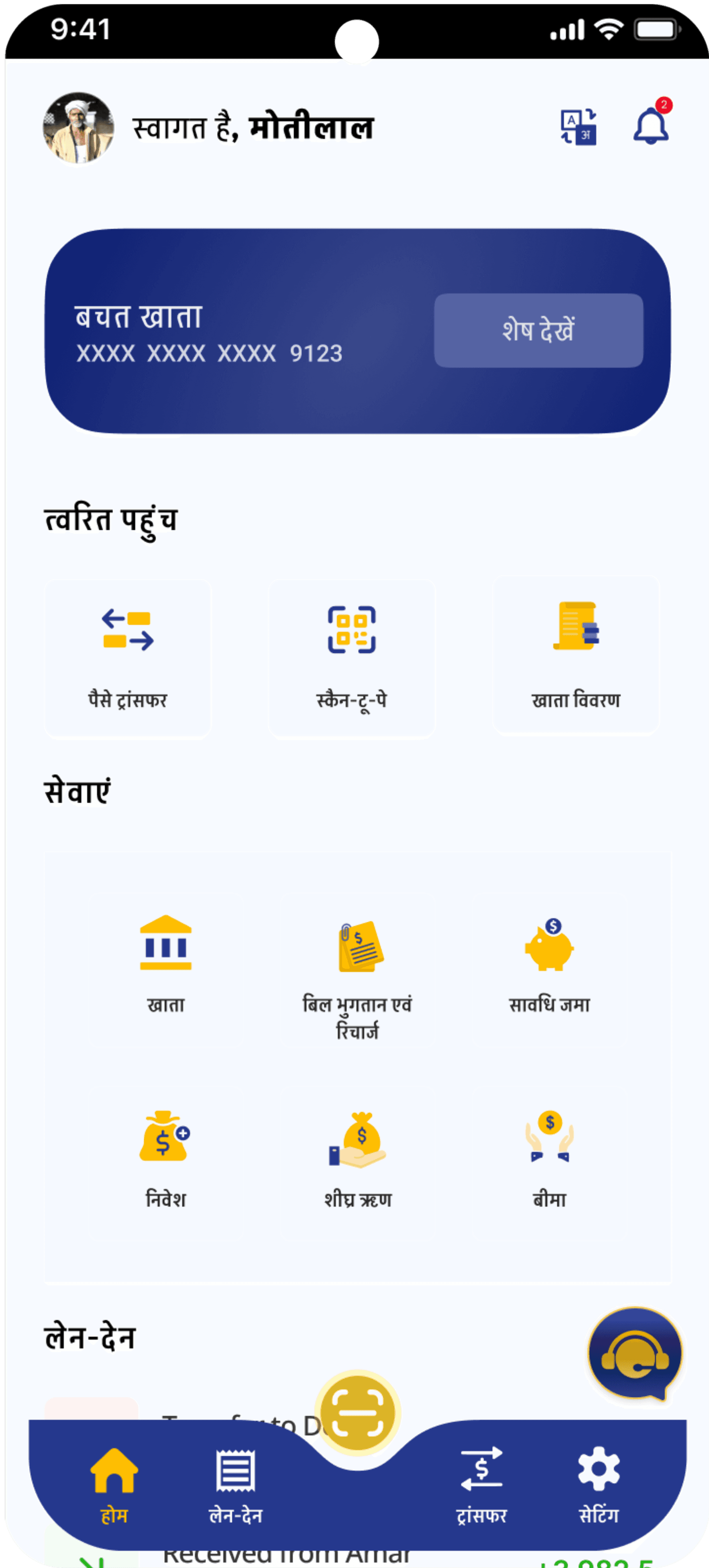
The home screen of an app is the primary interface that users interact with when they open the app. It should be designed to provide a clear and intuitive user experience that allows users to quickly access and manage their financial information.
User profile
User profile
Switch Language
Switch Language
Notification
Notification
Bottom Navigation
Chat Bot
Chat Bot
Bank Services
Quick Access
Check Balance
Barcode Scanner
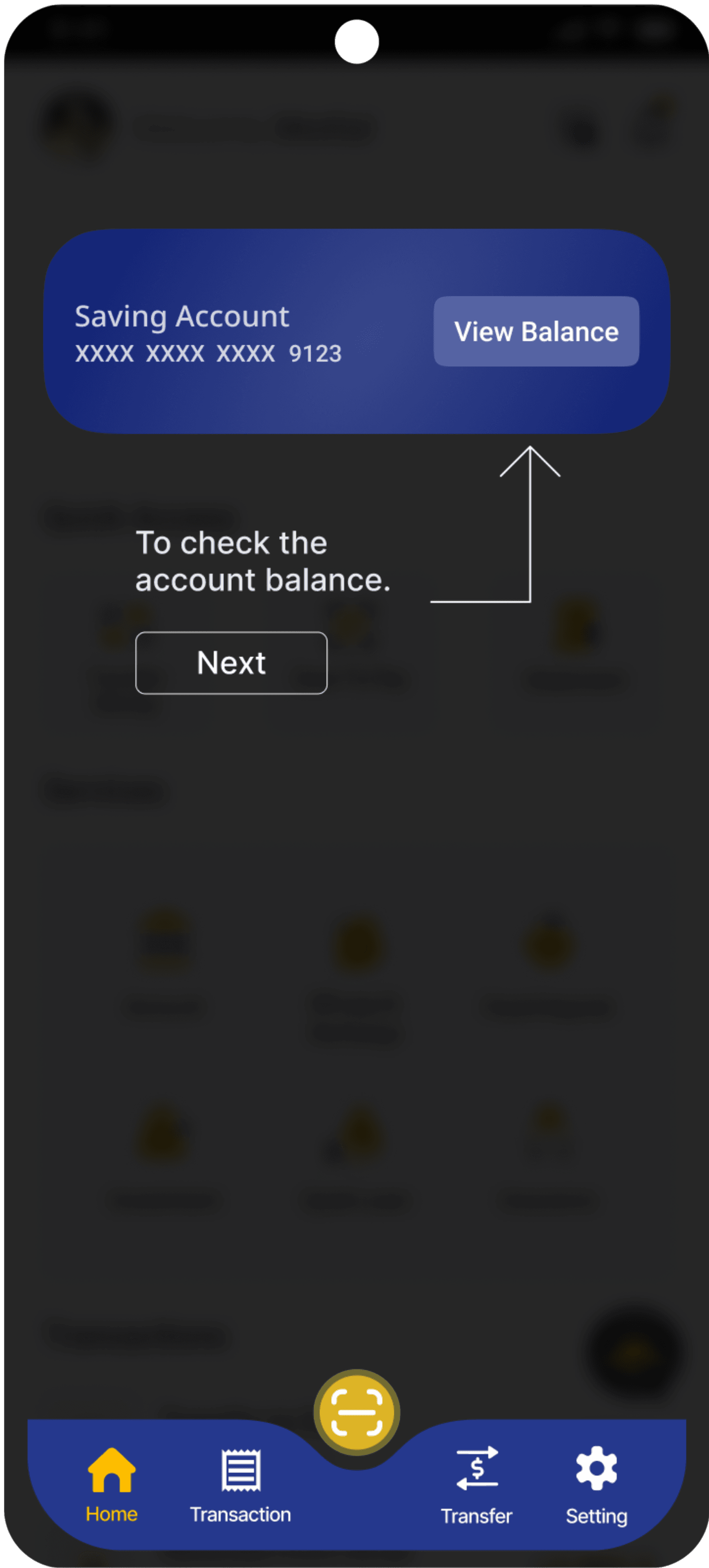
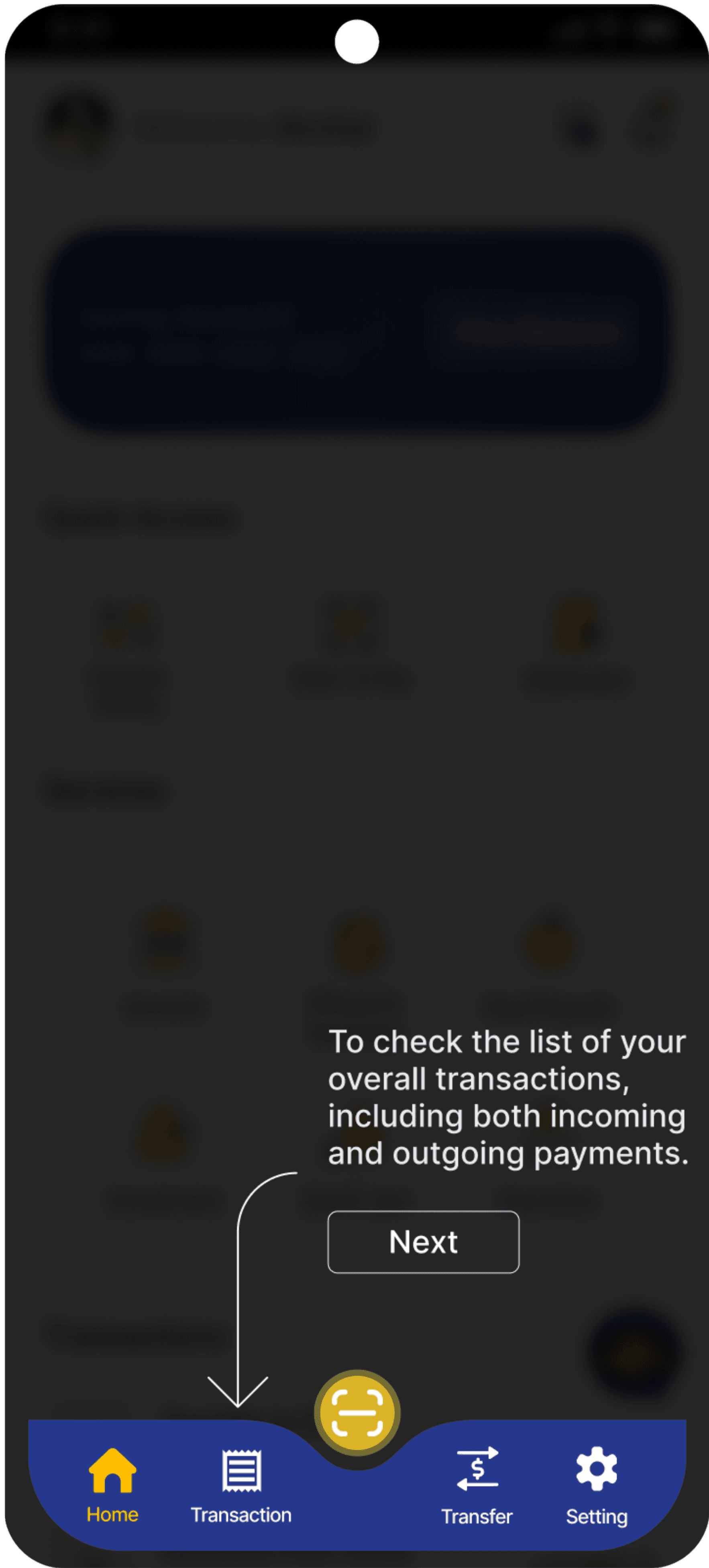
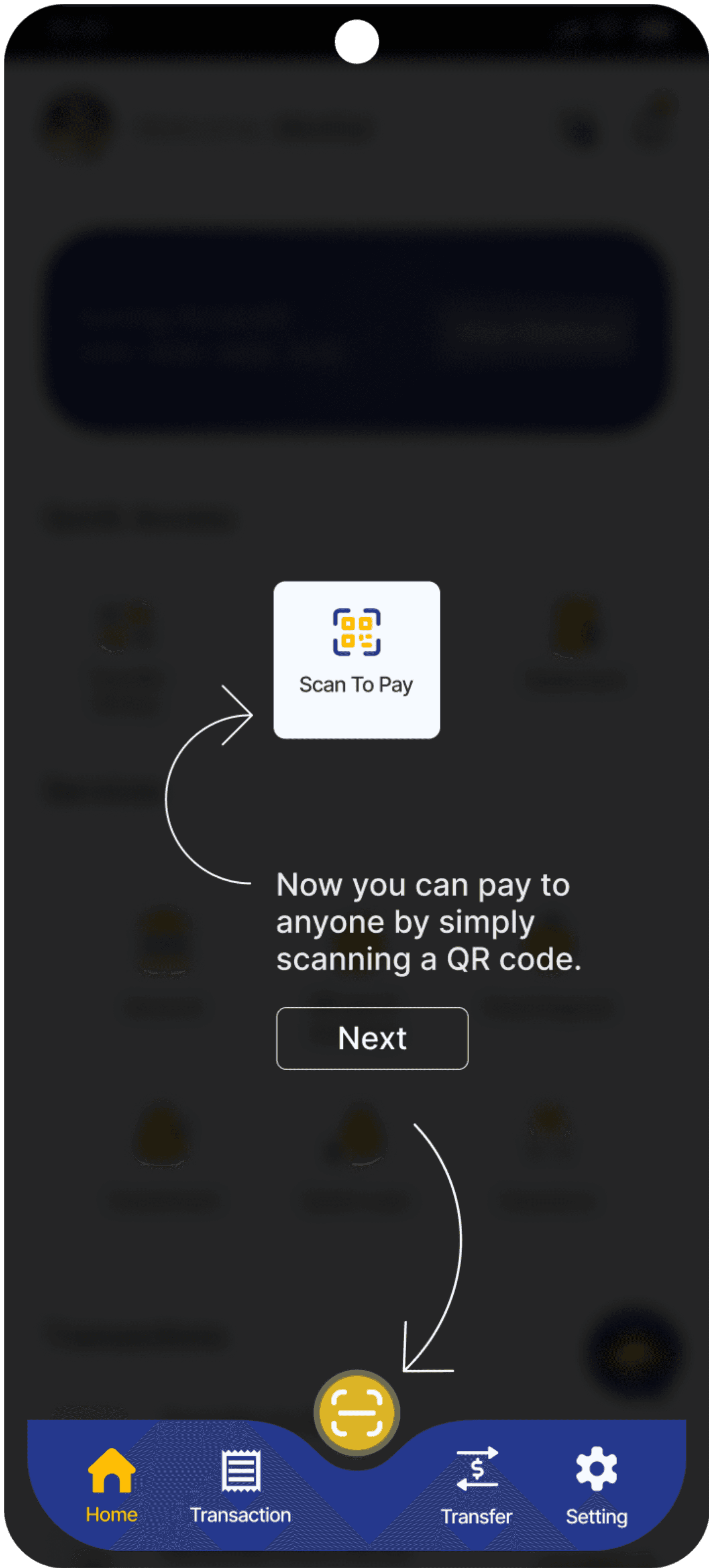
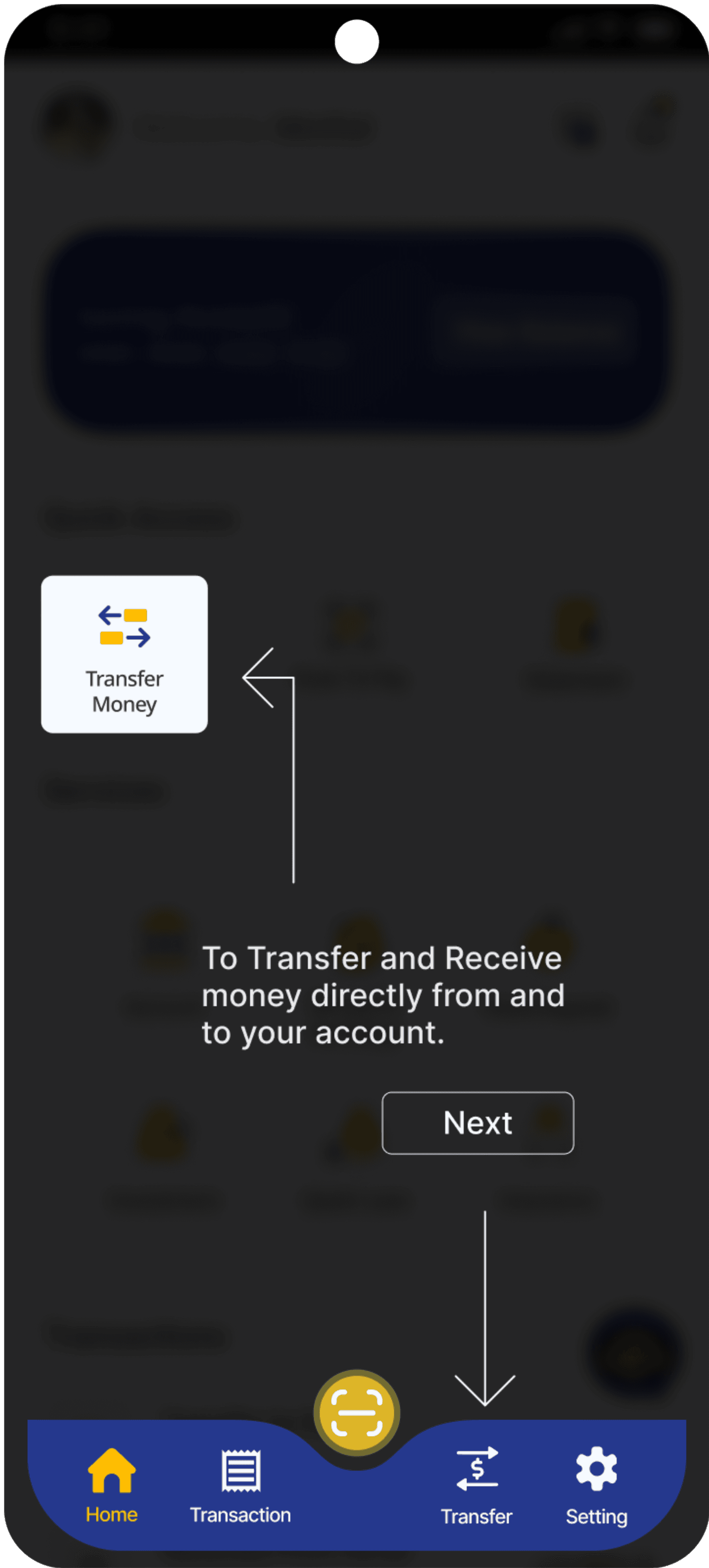
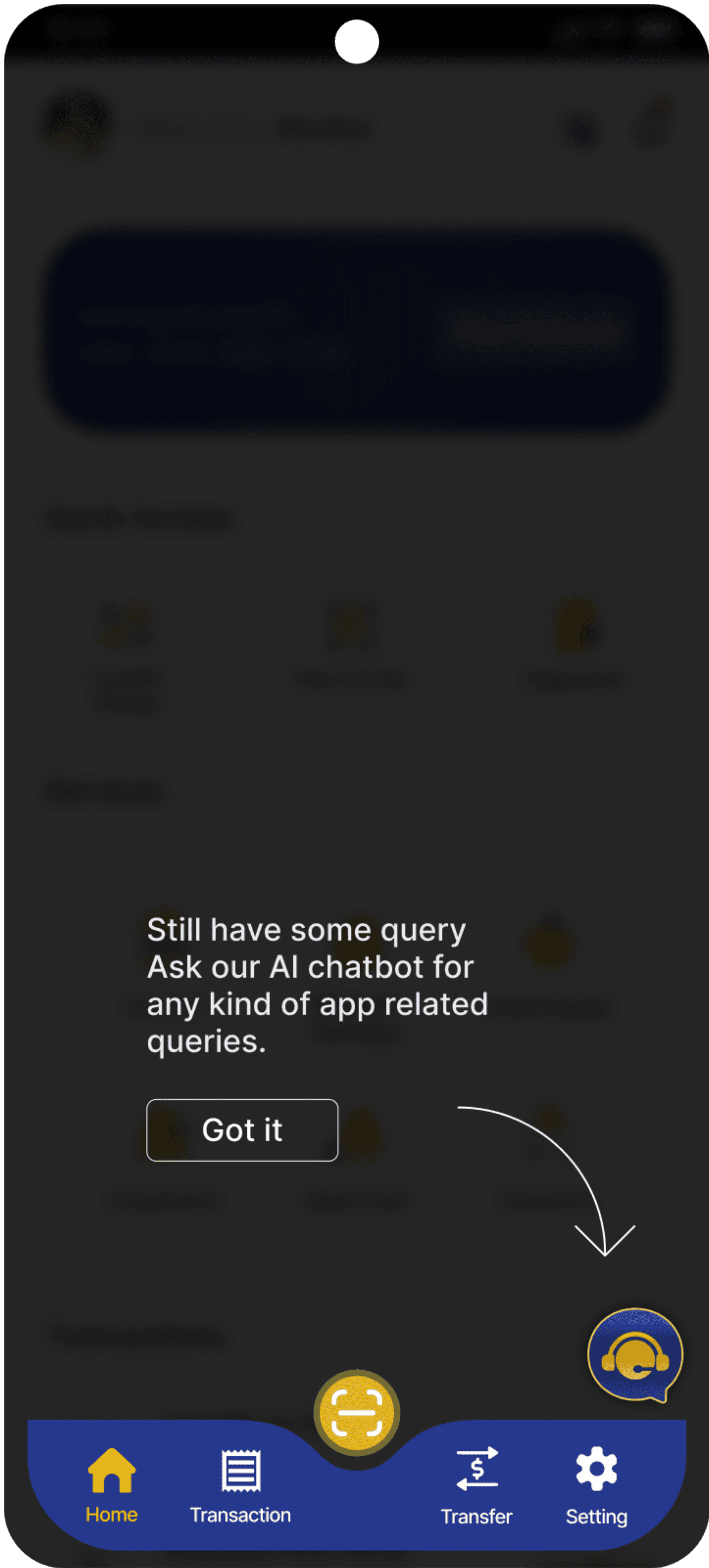
Features Walkthrough Guide
Through a series of step-by-step instructions and visual demonstrations, users are guided through the various features of the app. By providing clear explanations and illustrative examples, the Features Walkthrough Guide ensures that users can leverage the app to conveniently access banking services, manage their finances, and achieve their financial goals.
More Screens
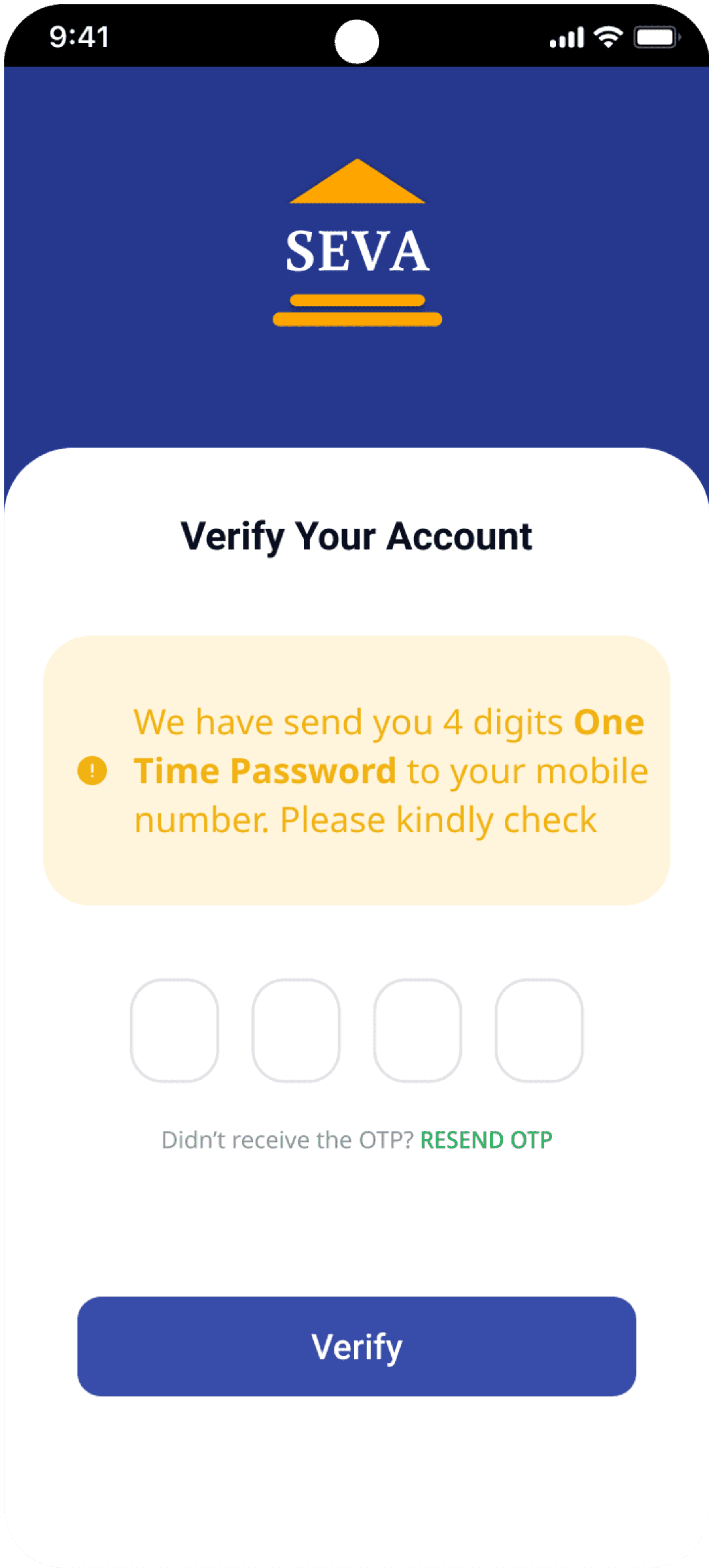
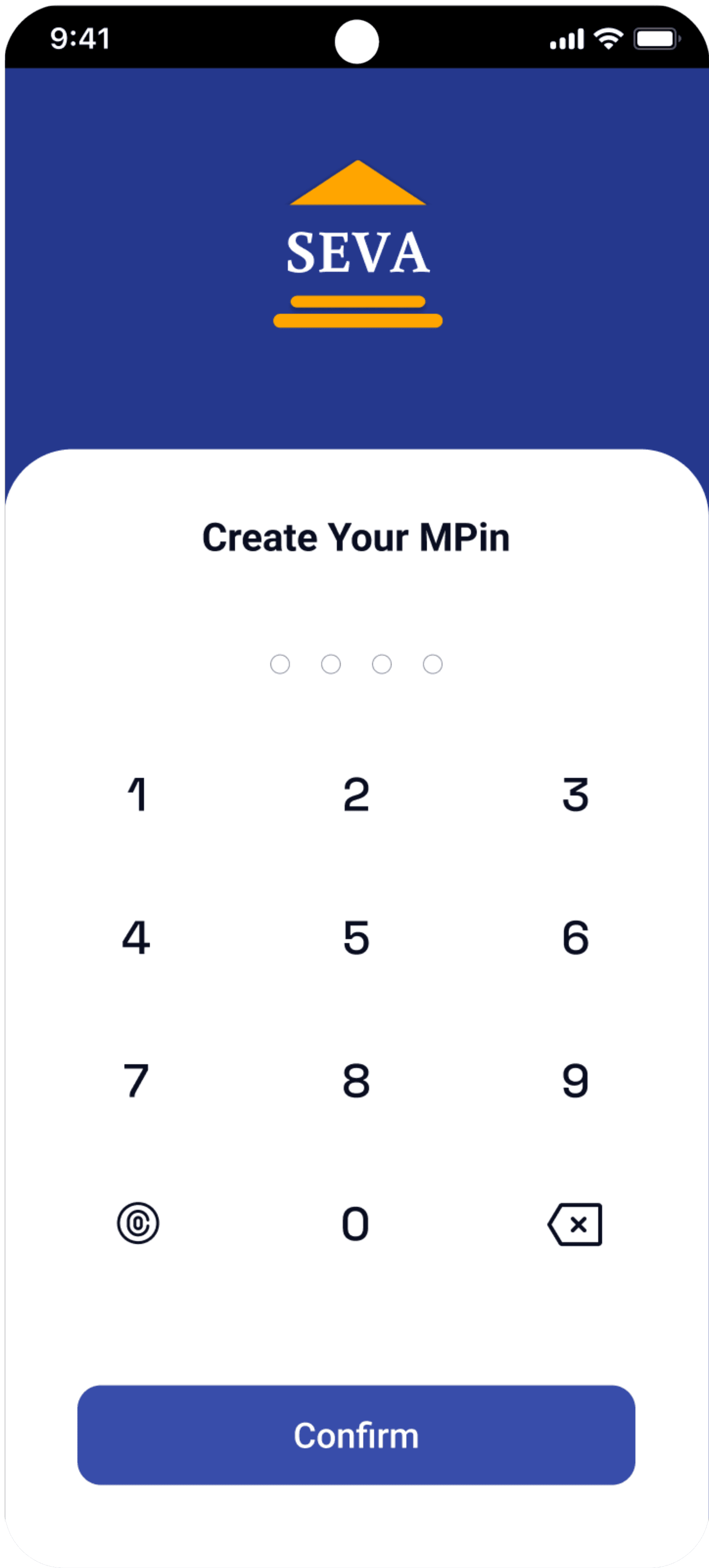
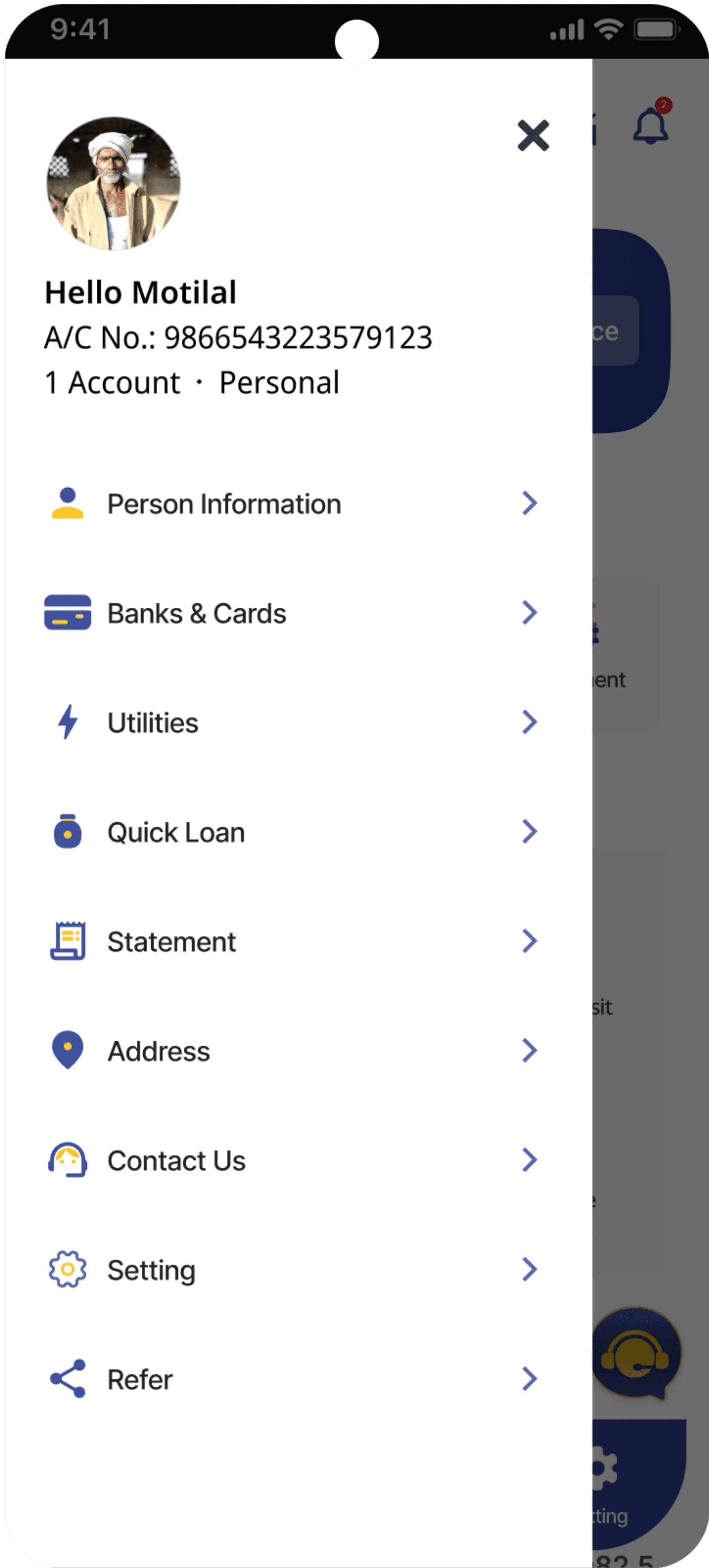
User Profile
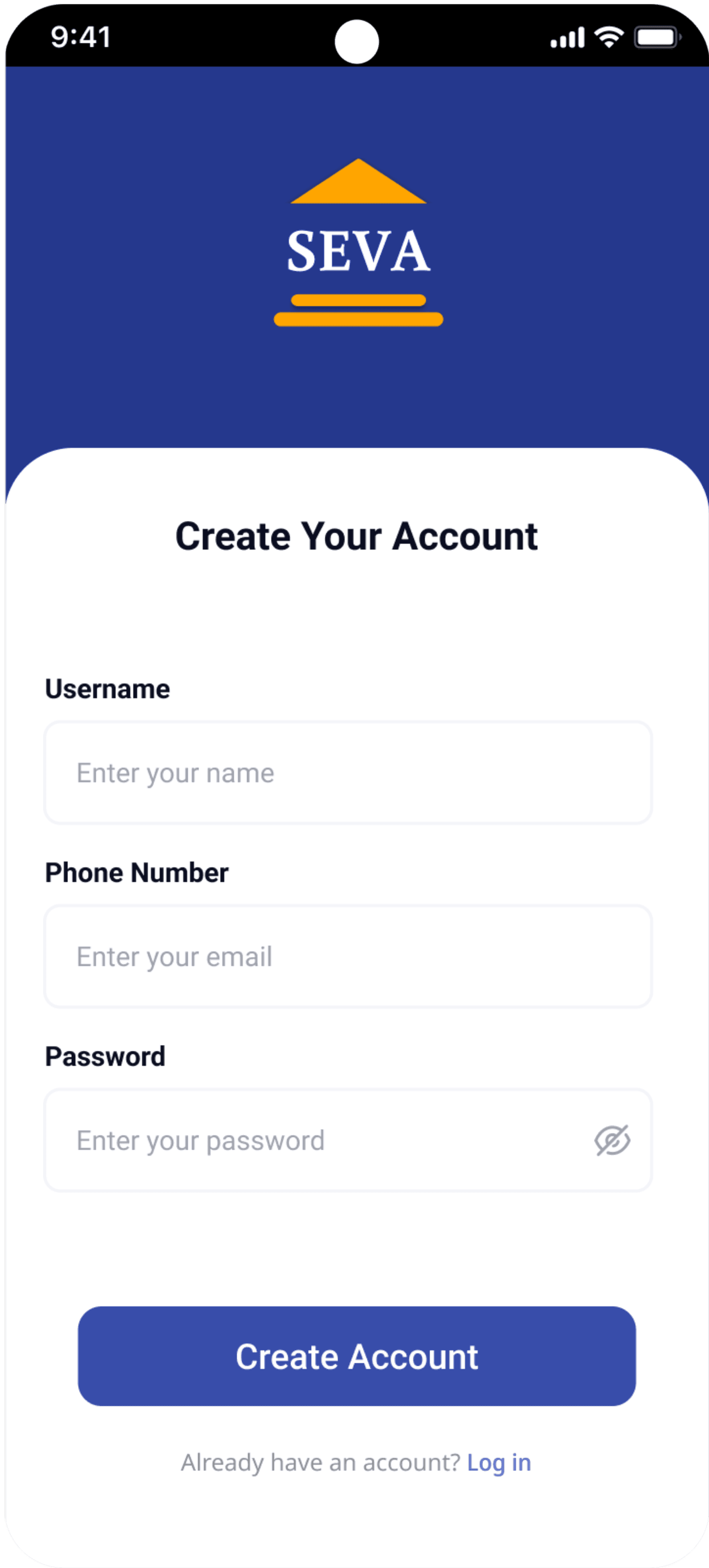
Sign Up
OTP Verification
Create MPIN
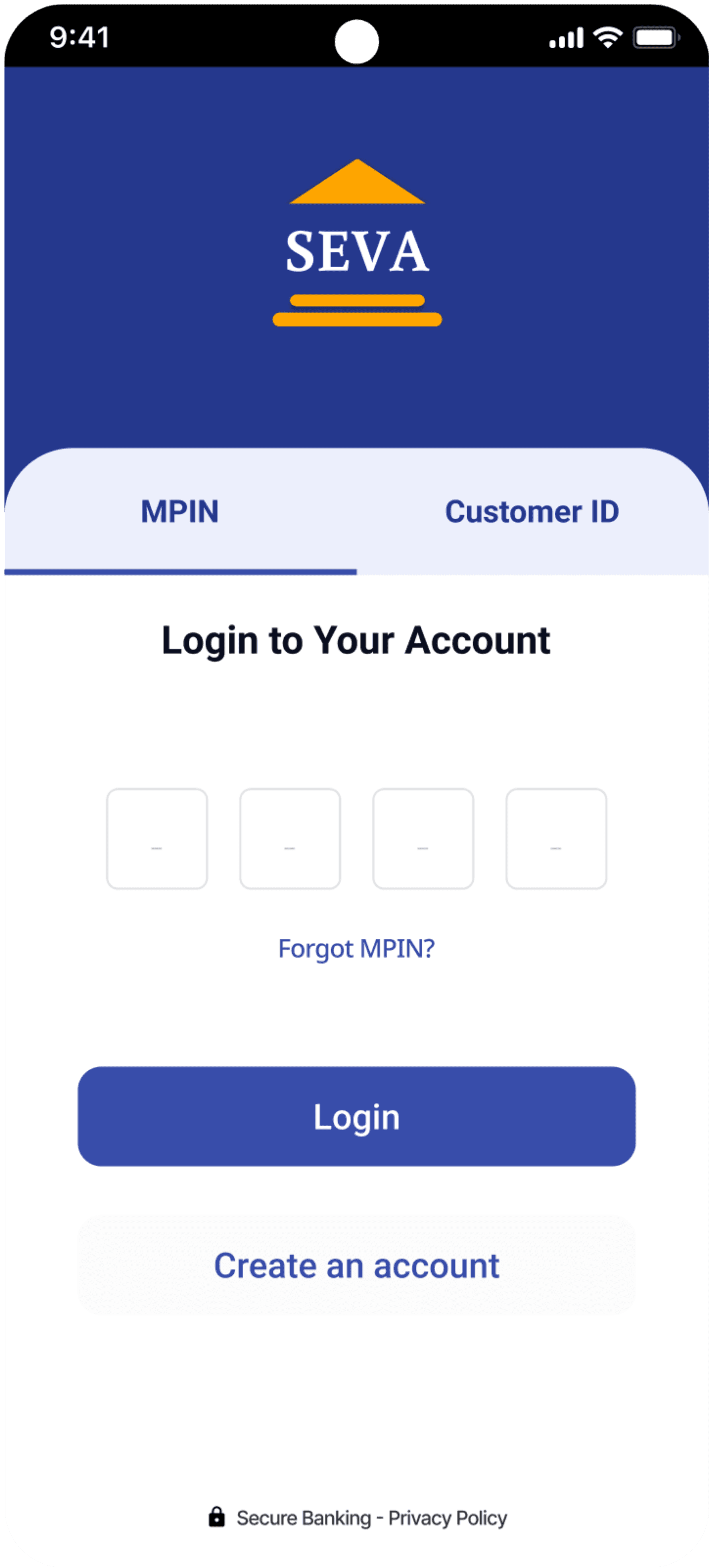
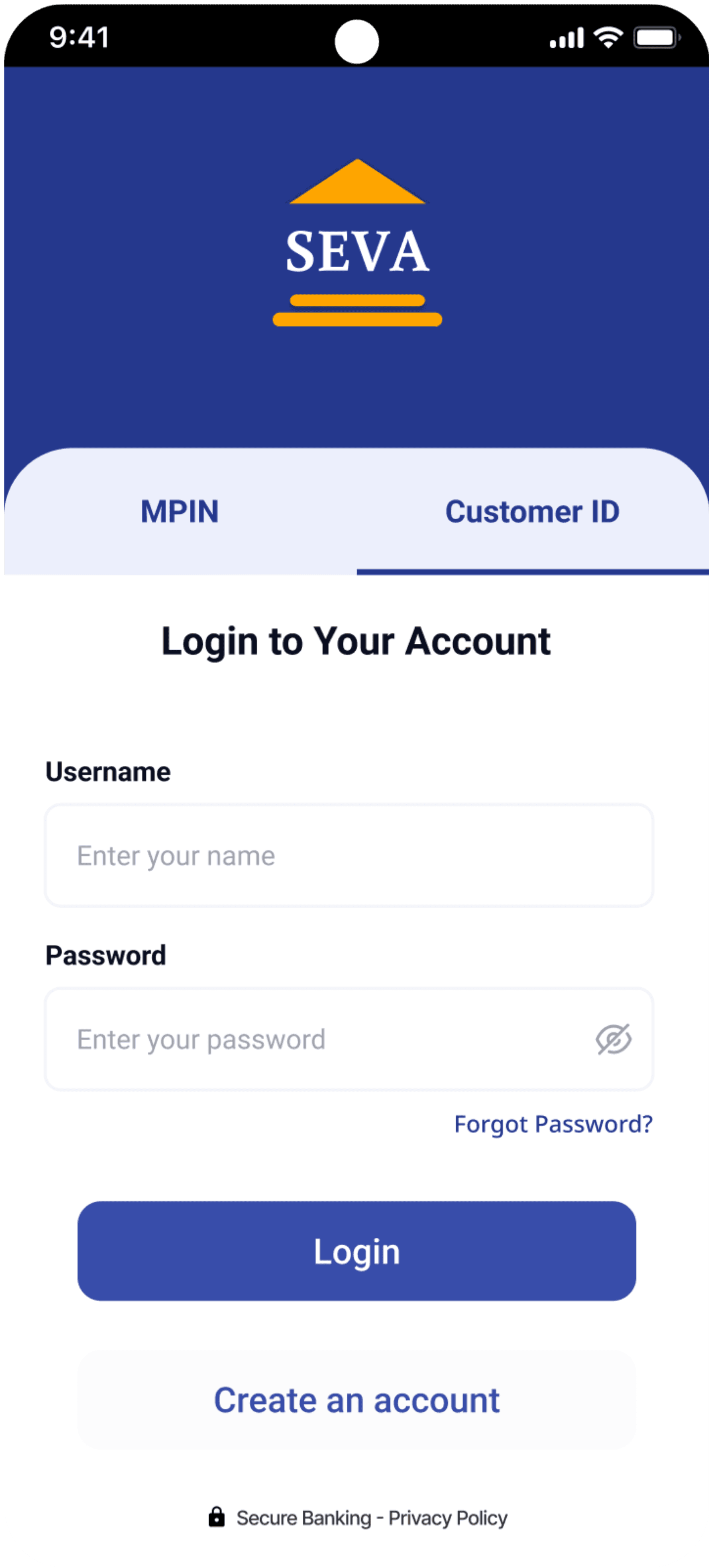
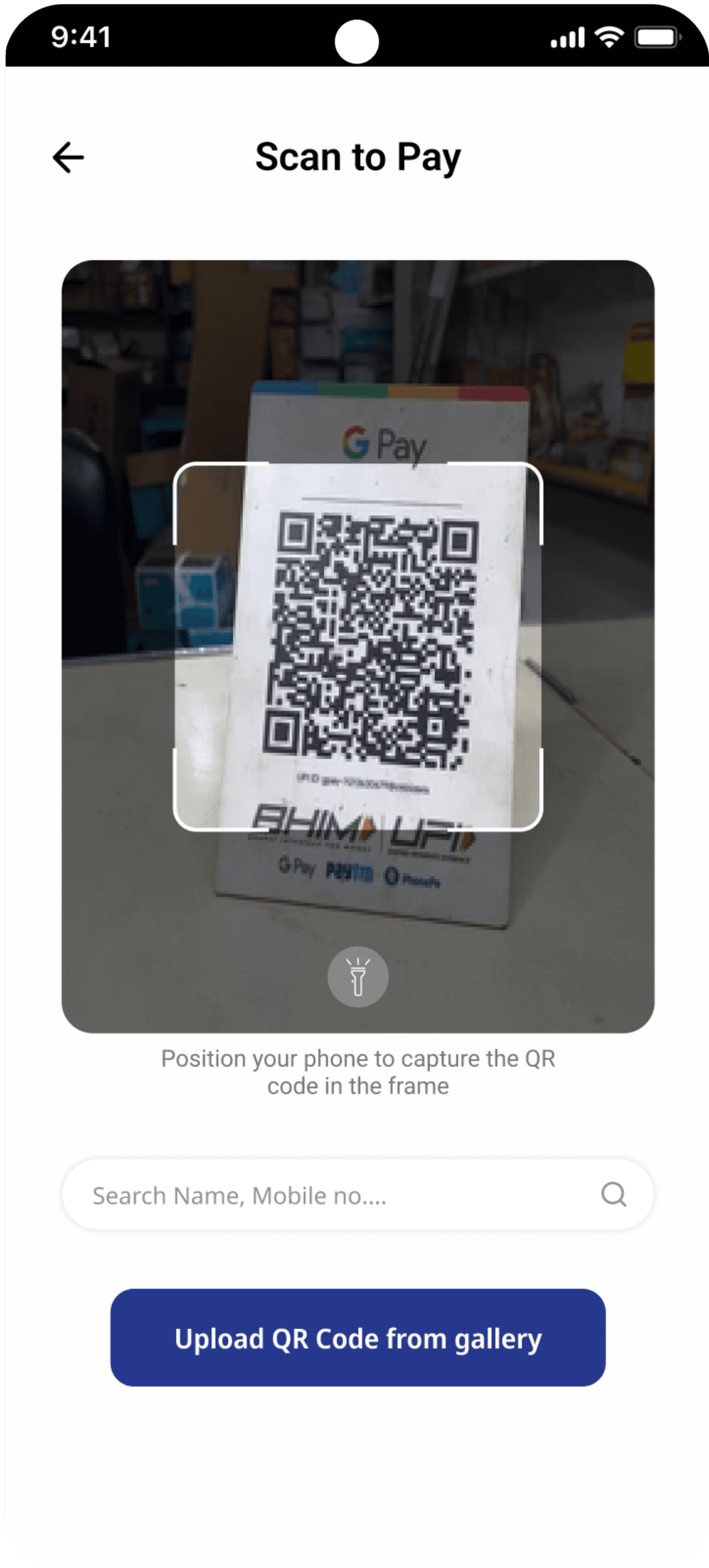
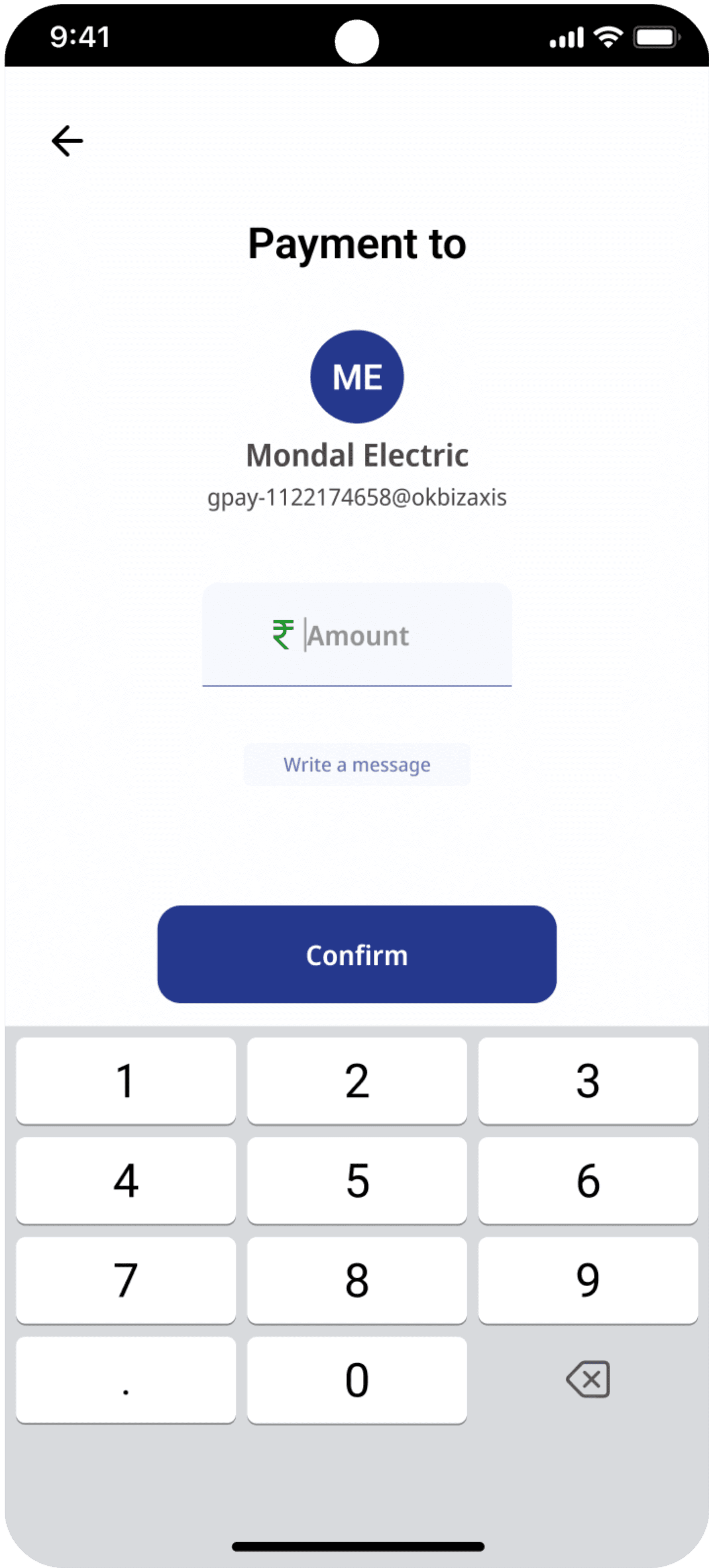
Mpin Login
Customer ID Login
Scanner
Payment
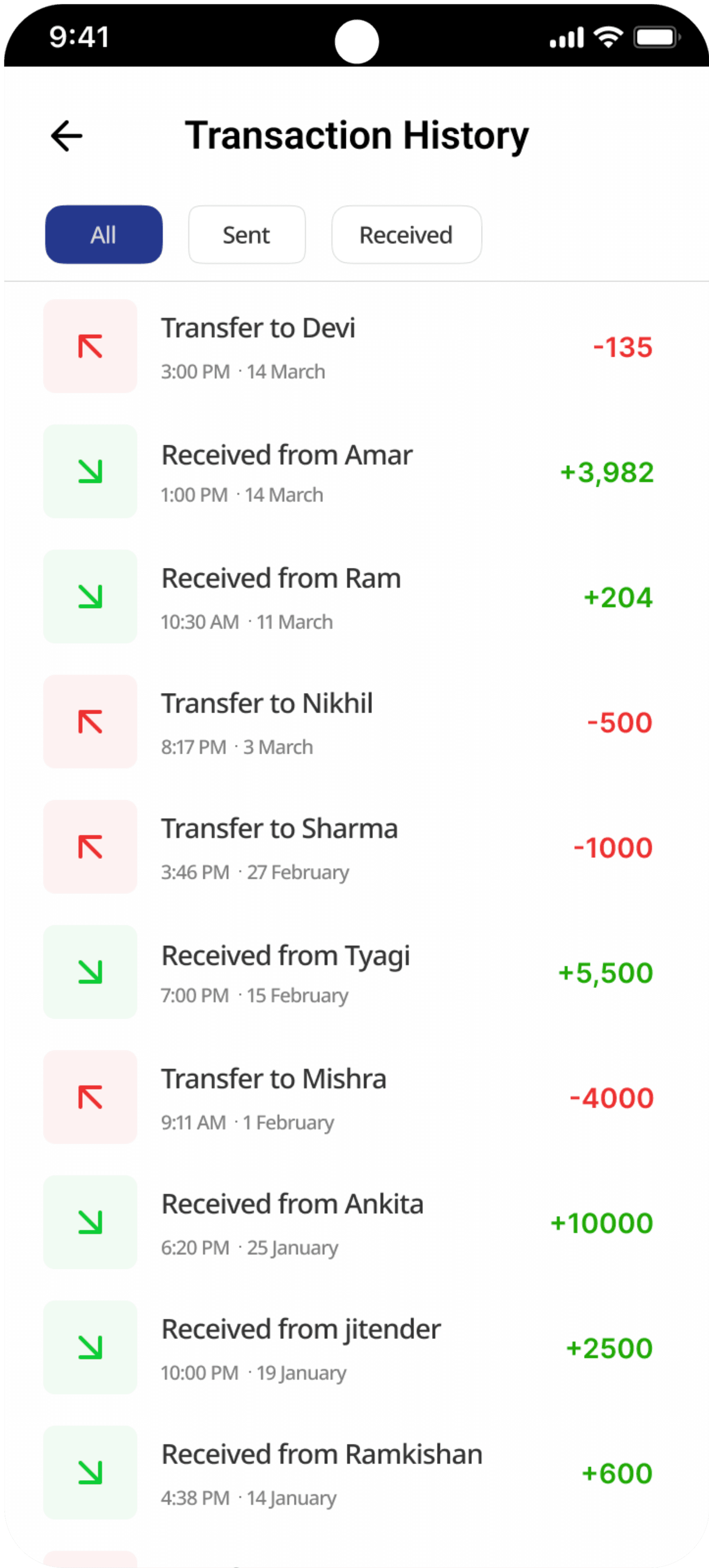
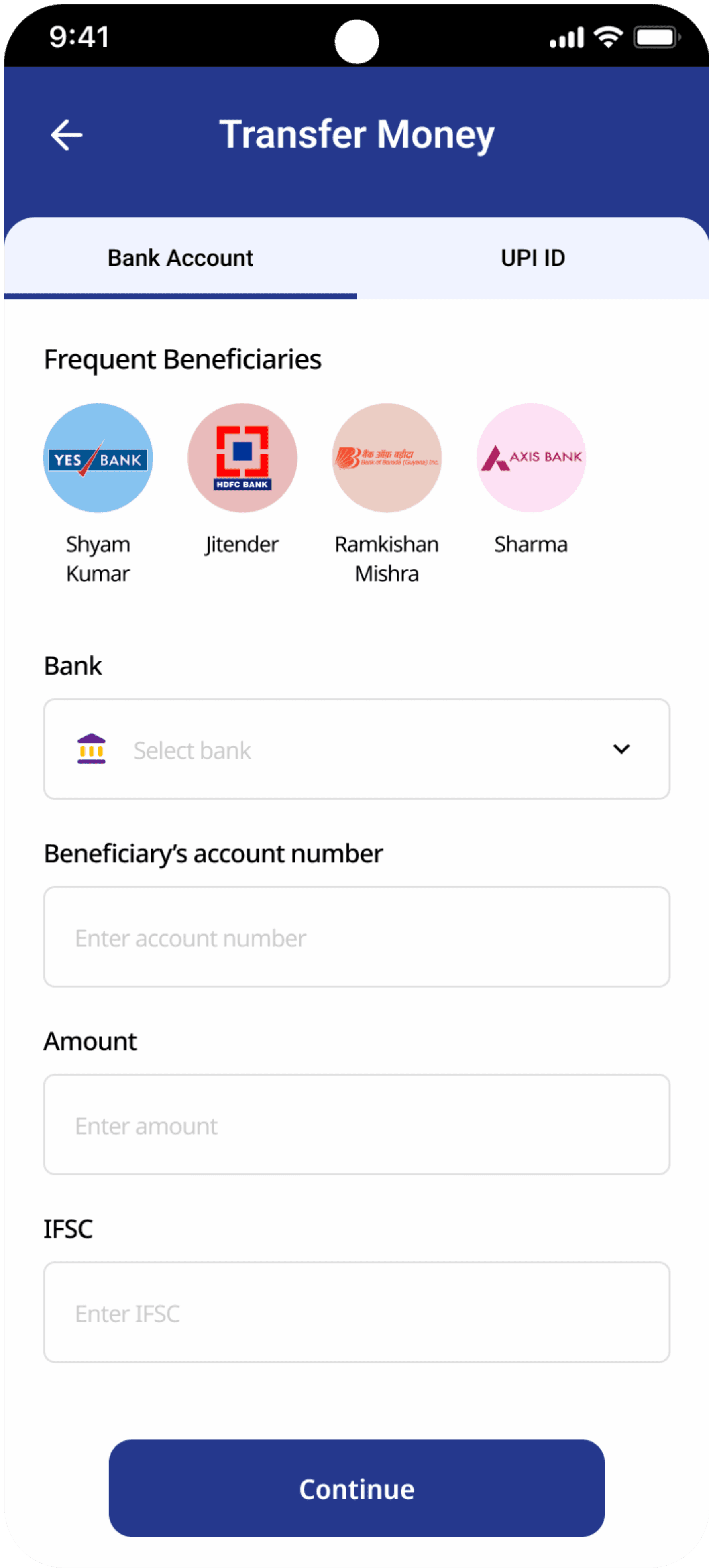
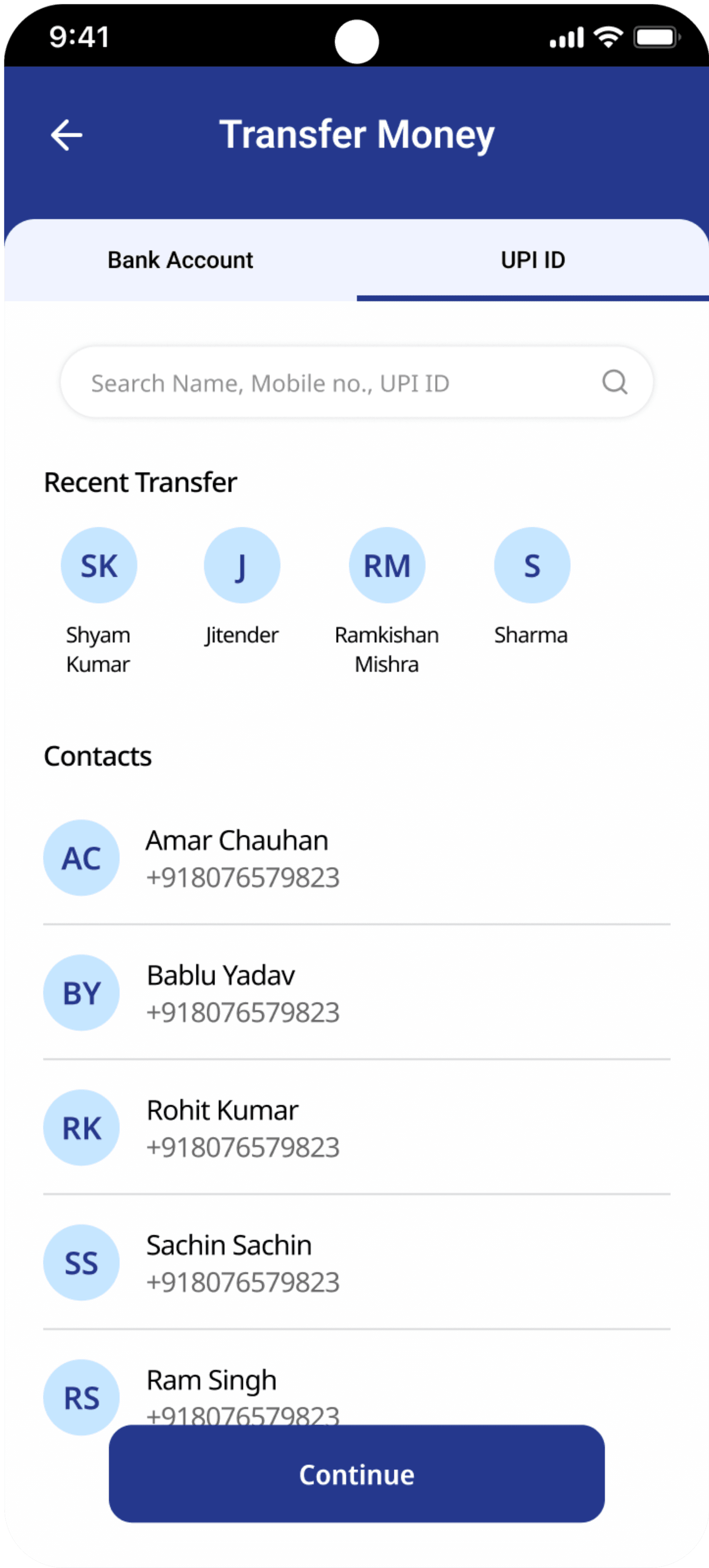
UPI Transfer
Account Transfer
Transaction
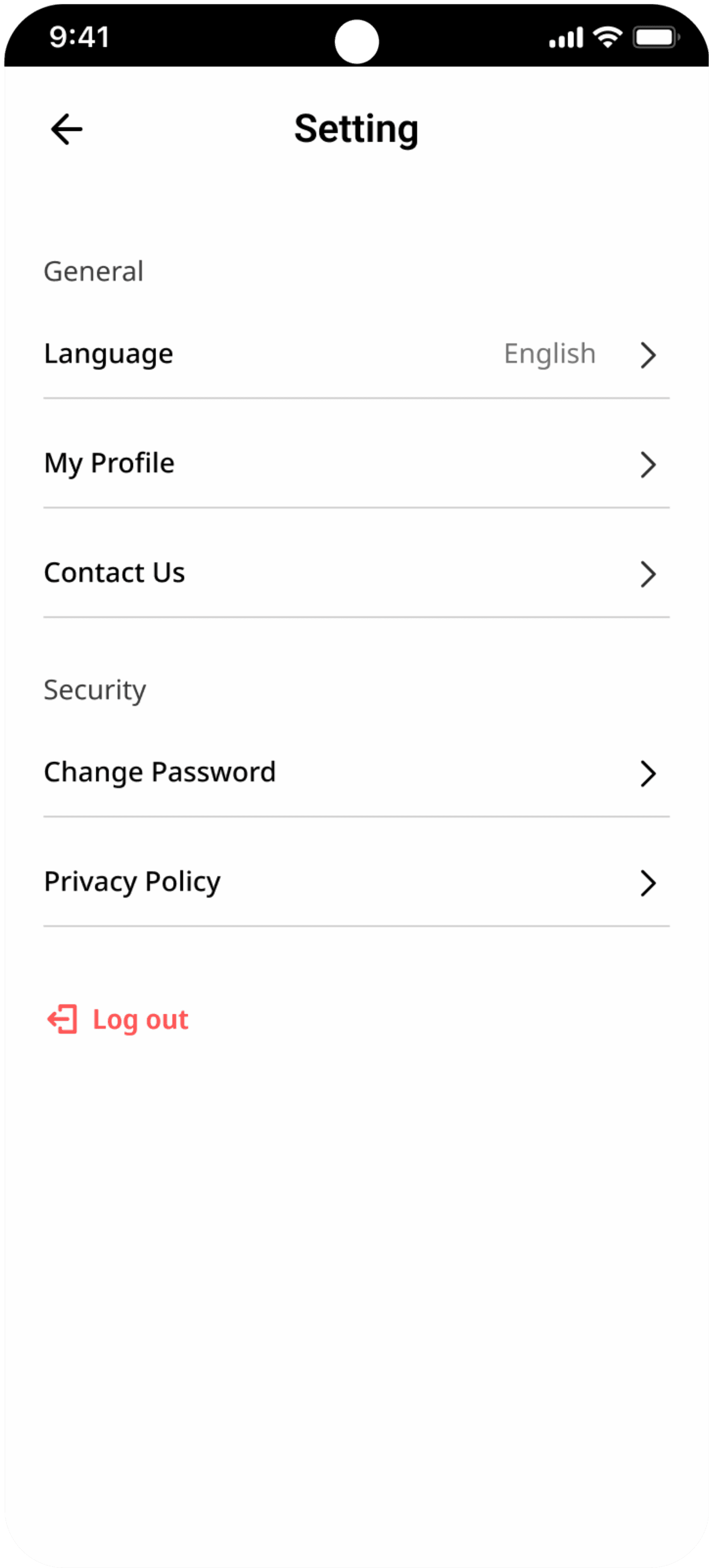
Setting
Color Palette
Typography
Primary Color
Secondary Color
Shades
Shades
#FFA500
#25388D
Aa
Font
Roboto
Aa
Roboto
Bold
Aa
Roboto
Semibold
Aa
Font
Noto Sans
Aa
Noto Sans
Medium
Aa
Noto Sans
Regular
Style Guide
For Watching
Thank You
Define
02
